
A customer walks into your store and buys the last pair of a popular sneaker. Twenty minutes later, someone orders the same pair from your website. Your online store still shows it in stock.
Now you have to cancel the order, refund the psayment, and apologize. This is rarely caused by carelessness. It happens because the store and the website run on separate systems that do not share information.
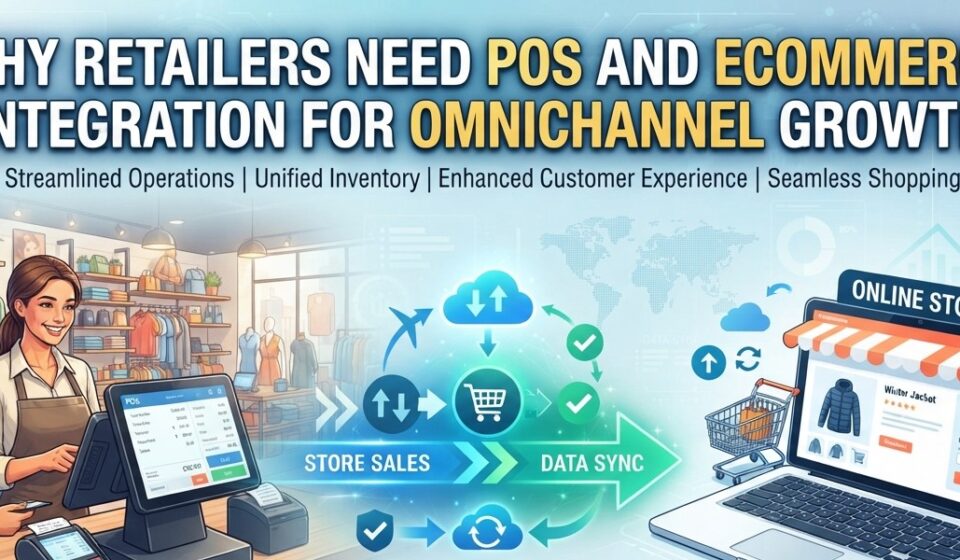
Shoppers no longer think in channels. They browse on their phone, visit the store, and sometimes buy online later. To keep up, retailers need their systems to work as one. Connecting them through POS and eCommerce integration lets your store and website share stock, orders, and product data automatically.
The problem with running two separate systems
Most retailers start with a POS system in the store. The online store comes later, often on Shopify, WooCommerce, or another platform. Each system keeps its own product list, stock counts, and sales records.
At first, someone updates both by hand. That works with 50 products and a few online orders a week. It breaks down as the catalogue and order volume grow.
Common signs your systems are out of step:
- Stock counts in the store and online do not match.
- Staff re-type online orders into the POS.
- Prices or product descriptions differ between channels.
- End-of-day reports need manual corrections.
- Nobody is sure which system has the right numbers.
Each problem looks small. Together, they cost staff hours and customer trust.
Why inventory synchronization matters most
Inventory is where disconnected systems hurt the most. Every sale in one channel changes what is available in the other.
Inventory synchronization means stock levels update automatically when a sale, return, or delivery happens. If a shirt sells at the counter, the online quantity drops too. When new stock is received in the POS, the website shows it.
This reduces overselling. It also works the other way. Products sitting in the stockroom but missing online can start selling.
Sync speed matters too. Some integrations update in near real time. Others run on a schedule, such as every few minutes or every hour. Fast-selling items need faster updates.
Managing online orders through the POS
When online orders live only in the eCommerce platform, staff watch two screens. One person packs the order. Someone else adjusts stock in the POS later, if they remember.
With eCommerce order management connected to the POS, online orders can flow into the POS system. Staff see store and online sales in one place. Stock is deducted once, in the system you already rely on.
This also supports services like buy online, pick up in store. The store team sees the order, finds the item, and has it ready. No phone calls to check another location.
Less manual work, fewer errors
Manual data entry is slow. It is also where mistakes creep in. A mistyped SKU or a wrong price can throw off your numbers for weeks.
Retail automation removes much of this repeat work. Product details, prices, and stock levels entered once in the POS can be sent to the online store. Some setups support two-way sync, where certain changes made online flow back to the POS.
The time saved goes back to work that needs a person. That means serving customers, merchandising, and planning.
A better experience for customers
Customers notice when systems do not line up. They see an item online, drive to the store, and find it gone. Or they see one price on the website and another at the counter.
Connected systems keep things consistent. Product names, descriptions, and prices match across channels. The stock shown online is more likely to be accurate.
Consistency builds trust. Trust brings people back, both in store and online. That is the real goal of omnichannel retail.
Connecting Lightspeed Retail with Shopify
Lightspeed Retail, in both R-Series and X-Series, is popular with independent and specialty retailers. Many of them also sell on Shopify.
A Lightspeed Shopify integration connects products, inventory, and orders between the two platforms. For example, a boutique adds a new jacket in Lightspeed with its sizes and colors. Depending on the tool, that product can be published to Shopify without retyping. When it sells online, the order can appear in Lightspeed, and stock updates in both.
Before you connect, clean up your Lightspeed data. Check that every SKU is unique. Make sure sizes and colors are set up the same way across products. Clean data in the POS means clean listings online.
Connecting Retail Pro Prism with eCommerce platforms
Retail Pro Prism is often used by larger and multi-store retailers. These businesses tend to have big catalogs, many locations, and more complex stock movements.
A Retail Pro Prism integration with supported eCommerce platforms helps keep store inventory and online listings aligned. Depending on the setup, online orders can also be sent to Prism for processing.
For multi-store retailers, one question comes first: which stock should the website sell from? Some sell from a central warehouse. Others combine stock from several stores. Decide this early, because it shapes how the sync is set up.
What to check before choosing an integration
Not every retail POS integration works the same way. Ask these questions before you commit:
- Does it support your exact systems? Confirm your POS version, such as Lightspeed R-Series or X-Series, and your eCommerce platform.
- Which data syncs, and in which direction? Check inventory, products, prices, and orders. Ask what is one-way and what is two-way.
- How often does it sync? Real time, every few minutes, or hourly makes a big difference for busy stores.
- How does it handle multiple locations? This matters if you have more than one store or a warehouse.
- Can it grow with you? You may want to add marketplaces like Amazon or eBay later.
- What happens when something fails? Look for error alerts and clear sync logs.
- What helps do you get during setup? Data mapping and testing often take longer than expected.
Middleware platforms such as Octopus Bridge connect supported POS systems with eCommerce platforms and marketplaces. With any provider, confirm which features apply to your specific POS and platform combination.
If possible, ask for a demo using your own products. Sample data hides the problems your real catalog might cause.
Conclusion: connected systems make growth manageable
Selling in more places should mean more sales, not more spreadsheets. When your POS and online store share data, you spend less time fixing mistakes and more time running the business.
Start with the problem that costs you most today. For many retailers, that is inventory accuracy. Fix that first, then build from there.
Omnichannel growth is not about being everywhere at once. It is about giving customers the same reliable experience wherever they shop. Connected systems make that possible.