
Small businesses face a constant challenge: how do you access enterprise-level technology without the enterprise-level budget? The answer increasingly lies in hybrid cloud computing for small business a flexible approach that’s transforming how companies of all sizes manage their IT infrastructure.
If you’re running a small business and feeling overwhelmed by terms like “public cloud,” “private cloud,” and “hybrid infrastructure,” you’re not alone. This guide breaks down everything you need to know about hybrid cloud computing and why it might be the perfect solution for your growing business.
What Is Hybrid Cloud Computing for Small Business?
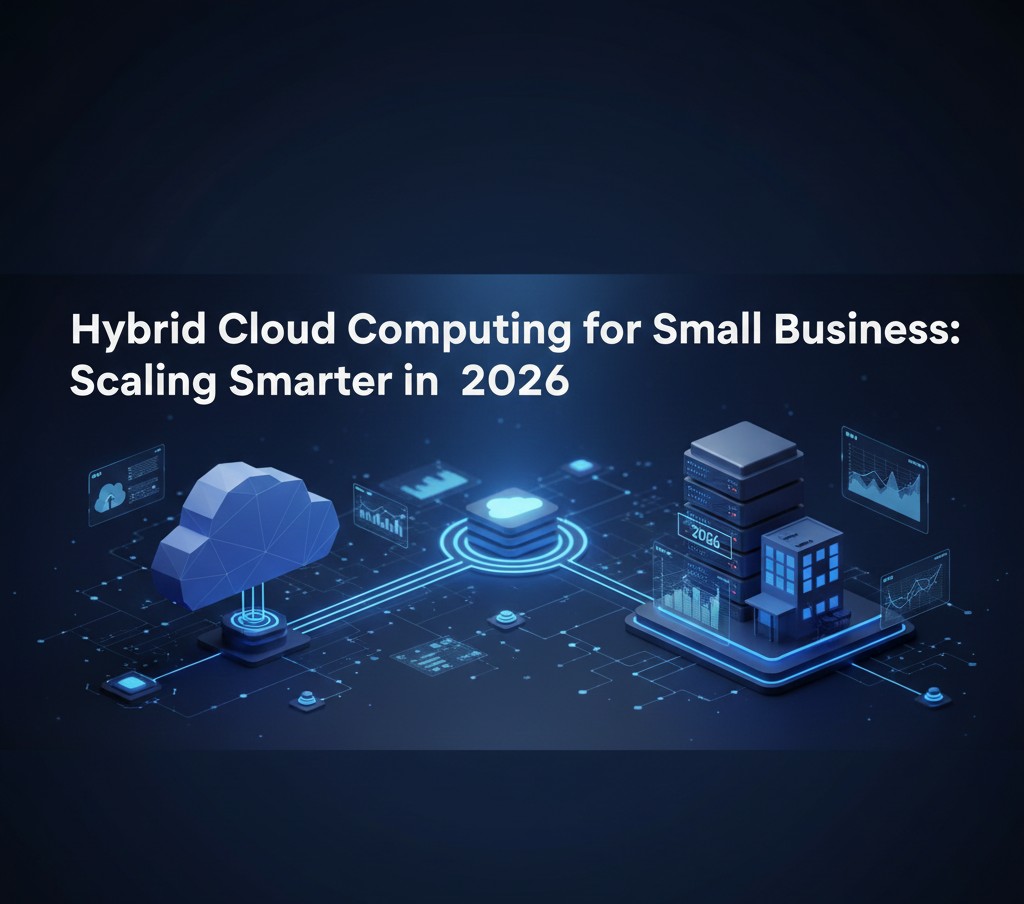
Hybrid cloud computing for small business combines private cloud resources (your own servers or dedicated hosting) with public cloud services (like Microsoft Azure, Amazon Web Services, or Google Cloud) into a single, integrated IT environment.
Think of it like this: instead of keeping all your eggs in one basket whether that’s entirely on-premises servers or completely in the public cloud you split your workloads strategically. Sensitive customer data might stay on your private servers, while your email system and collaboration tools run on the public cloud.
This “best of both worlds” approach gives small businesses unprecedented flexibility. You maintain control over critical data while tapping into the scalability and cost-effectiveness of public cloud services.
Why Small Businesses Are Turning to Hybrid Cloud Solutions
The shift toward hybrid cloud computing for small business isn’t just a trend it’s a response to real operational needs.
Cost Control That Actually Works
Traditional IT infrastructure requires significant upfront investment. You buy servers, pay for maintenance, and often end up with more capacity than you need (or scramble when you don’t have enough). Public cloud services operate on a pay-as-you-go model, but costs can spiral if you’re not careful.
Hybrid cloud computing lets you optimize both. Keep predictable workloads on cost-effective private infrastructure while using public cloud resources for variable demands. A retail business might run its inventory system on private servers but scale up public cloud resources during holiday shopping seasons.
Security Meets Flexibility
Small businesses handle sensitive information customer payment details, employee records, proprietary business data. While public clouds have excellent security, some businesses need or prefer to keep certain data under their direct control due to compliance requirements or company policy.
Hybrid cloud computing for small business solves this dilemma. You can keep sensitive data on private infrastructure while still benefiting from cloud applications for day-to-day operations.
Scalability Without the Growing Pains
Your business is growing (congratulations!), but growth brings IT headaches. Hiring five new employees means five new laptops, software licenses, and user accounts. Landing a major client might require additional computing power for data processing.
With hybrid cloud infrastructure, scaling becomes smoother. Need more storage? Spin up cloud resources in minutes rather than waiting weeks for new hardware. Launching a new service? Test it in the cloud before committing to permanent infrastructure.
Real-World Applications: How Small Businesses Use Hybrid Cloud
Understanding hybrid cloud computing for small business becomes clearer when you see it in action.
The Professional Services Firm
A 25-person accounting firm keeps client financial records on private servers in their office, ensuring complete control over sensitive tax documents. However, they use cloud-based Microsoft 365 for email, video conferencing, and document collaboration. Their tax preparation software runs in the cloud, automatically scaling during tax season when they bring on temporary staff.
The E-Commerce Startup
An online retailer maintains its product database and inventory management system on private infrastructure for consistent performance. But their website, shopping cart, and payment processing run on public cloud services that automatically handle traffic spikes during sales events. During normal periods, they pay less; during Black Friday, the system scales automatically.
The Healthcare Practice
A small medical practice stores patient health records on private servers to maintain strict HIPAA compliance and control. Meanwhile, they use cloud-based scheduling systems, telemedicine platforms, and billing software that integrate seamlessly with their private systems.
Also Read: What is Cloud Computing?
Key Benefits of Hybrid Cloud Computing for Small Business
1. Disaster Recovery Without Breaking the Bank
Traditional disaster recovery meant maintaining a complete backup site prohibitively expensive for most small businesses. Hybrid cloud computing for small business makes robust disaster recovery affordable. Your critical data stays protected on private infrastructure with automatic backup to the cloud. If disaster strikes, you can quickly restore operations using cloud resources while your physical location recovers.
2. Compliance Made Manageable
Certain industries face strict data regulations healthcare (HIPAA), finance (SOX), or businesses handling European customer data (GDPR). Hybrid cloud lets you keep regulated data on compliant private infrastructure while using public cloud for everything else. You get compliance without sacrificing modern cloud capabilities.
3. Better Performance Where It Matters
Some applications simply run better on dedicated hardware. A graphic design firm might keep rendering workstations on-premises for consistent performance while using cloud storage for client file sharing. A manufacturing business might run production floor systems locally (avoiding any internet dependency) while using cloud analytics to analyze production data.
4. Reduced Vendor Lock-In
Going all-in with one cloud provider creates dependency. Hybrid cloud computing for small business lets you distribute workloads across multiple platforms. If one vendor raises prices or changes terms, you have options you’re not stuck.
5. Testing Ground for Cloud Migration
Not ready to go all-in on cloud? Hybrid infrastructure lets you test the waters. Move non-critical workloads to the cloud first, gain experience and confidence, then migrate additional systems at your own pace.
Getting Started: Hybrid Cloud Strategy for Small Business
Ready to explore hybrid cloud computing for your small business? Here’s how to approach it strategically.
Assess Your Current Infrastructure
Start by documenting what you have: physical servers, cloud services you’re already using (you might be surprised), software applications, and data storage. Understanding your starting point helps you plan effectively.
Identify Your Priorities
What matters most to your business? Cost reduction? Better disaster recovery? Improved collaboration? Compliance requirements? Your priorities will guide which workloads move to the cloud and which stay private.
Classify Your Workloads
Not all applications and data are created equal. Classify your workloads into categories:
- Highly Sensitive: Customer payment information, employee records, proprietary data candidates for private infrastructure
- Business Critical: Systems your business depends on daily these need the highest reliability, whether private or cloud
- Variable Demand: Applications with fluctuating resource needs perfect for public cloud
- Collaborative: Tools used across teams and locations often best in the cloud
- Legacy: Older systems that might not be cloud-ready may need to stay on-premises initially
Start Small and Learn
You don’t need to implement a complete hybrid cloud infrastructure overnight. Many successful small businesses start by moving one or two workloads to the cloud while keeping everything else as-is. Learn from the experience, then expand gradually.
A common first step: migrate email and productivity tools to Microsoft 365 or Google Workspace while keeping your customer database and business applications on local servers.
Choose the Right Partners
Hybrid cloud computing for small business works best with the right support. Consider working with:
- Managed Service Providers (MSPs): They can manage your hybrid infrastructure, handle the technical complexity, and provide ongoing support
- Cloud Consultants: Help design your hybrid strategy and implementation plan
- Industry-Specific Solutions: Some vendors offer pre-configured hybrid cloud solutions tailored to specific industries
Common Challenges (and How to Overcome Them)
Integration Complexity
Making private and public systems work together seamlessly can be tricky. Your customer database needs to talk to your cloud-based CRM. Your on-premises accounting software needs to sync with cloud storage.
Solution: Focus on APIs and integration platforms. Modern cloud services typically offer robust APIs that allow different systems to communicate. Integration platforms like Zapier or Microsoft Power Automate can connect cloud and on-premises applications without custom coding.
Security Concerns
More access points can mean more vulnerability if not managed properly. Data moving between private and public infrastructure needs protection.
Solution: Implement strong identity and access management (IAM), use encryption for data in transit and at rest, and consider VPN connections between your private infrastructure and cloud services. Many small businesses work with security-focused MSPs to ensure proper implementation.
Cost Management
Cloud costs can surprise you if you’re not monitoring carefully. That “pay only for what you use” model requires attention to what you’re actually using.
Solution: Set up billing alerts, regularly review cloud usage reports, and shut down resources you’re not actively using. Many businesses designate someone to review cloud spending monthly, just like any other business expense.
Skills Gap
Your team knows your current systems, but hybrid cloud might require new expertise.
Solution: Invest in training for key staff members, work with partners who can provide expertise, or hire for cloud skills when expanding your team. Many cloud providers offer free training resources specifically designed for small business users.
Cost Considerations: What to Expect
Hybrid cloud computing for small business isn’t necessarily cheaper than traditional IT or pure cloud it’s about better value. Here’s what influences costs:
Initial Setup: You might need to invest in some new hardware, software licenses, or consulting services to set up your hybrid infrastructure. Budget $5,000 to $25,000+ depending on complexity and current infrastructure.
Ongoing Cloud Services: Public cloud costs vary widely based on what you use. A small business might spend $100 to $2,000+ monthly on cloud services. The beauty is scalability you can start small and grow.
Private Infrastructure: If you’re keeping some on-premises systems, factor in hardware refresh cycles, maintenance, power, and cooling. Upgrading to more efficient, hybrid-ready private infrastructure might cost $10,000 to $50,000+ depending on scale.
Management and Support: Whether handled in-house or through an MSP, someone needs to manage your hybrid environment. MSP costs typically range from $500 to $5,000+ monthly depending on services provided.
The ROI Angle: Many small businesses find that hybrid cloud computing reduces overall IT spending by 15-30% compared to traditional infrastructure while providing better capabilities. Calculate your potential ROI by considering reduced hardware refresh costs, lower disaster recovery expenses, improved employee productivity, and reduced downtime.
Choosing Your Hybrid Cloud Platform
Several platforms cater specifically to small business hybrid cloud needs:
Microsoft Azure: Integrates seamlessly with Microsoft 365 (which many small businesses already use) and offers Azure Stack for private cloud components. Good for Windows-centric businesses.
Amazon Web Services (AWS): The largest cloud provider offers AWS Outposts for on-premises infrastructure. Extensive services but can be complex for small businesses without technical expertise.
Google Cloud: Strong in collaboration and data analytics. Google Anthos enables hybrid and multi-cloud management. Excellent if you’re already using Google Workspace.
Hybrid-Focused Solutions: Companies like VMware, Dell Technologies, and HPE offer small business-friendly hybrid cloud packages that simplify implementation.
For most small businesses, the choice often comes down to what you’re already using. If you’re a Microsoft shop, Azure makes sense. If you live in Google Workspace, Google Cloud is natural. The “best” platform is the one that integrates with your existing tools and meets your specific needs.
Making the Hybrid Cloud Decision: Is It Right for Your Small Business?
Hybrid cloud computing for small business makes the most sense if you:
- Have some data that must remain on-premises due to regulations, compliance, or business preference
- Need flexibility to scale operations without major capital investments
- Want modern cloud capabilities without abandoning existing infrastructure investments
- Require better disaster recovery than you currently have
- Have variable workload demands (seasonal businesses, project-based work)
- Are growing and need IT infrastructure that grows with you
It might not be the right fit if:
- You’re a very small business (under five employees) with simple IT needs pure cloud might be simpler and cheaper
- You have no on-premises infrastructure and no plans for any pure cloud is likely more straightforward
- You lack technical resources or budget for managed services hybrid adds complexity that needs management
- Your industry or business model has simple, straightforward IT requirements
Also Read: Cloud Download vs Local Reinstall: Which Windows Recovery Method Should You Choose?
The Future of Hybrid Cloud for Small Business
The trajectory is clear: hybrid cloud computing for small business will become increasingly accessible and sophisticated. Artificial intelligence and automation are making hybrid environments easier to manage. Edge computing processing data closer to where it’s created is expanding what’s possible with hybrid architectures.
For small businesses, this means continued democratization of enterprise-level capabilities. Tools that once required massive IT departments are becoming accessible to companies of all sizes.
The businesses thriving in this landscape are those that view IT infrastructure not as a cost center but as an enabler of growth and innovation. Hybrid cloud computing provides the foundation for that mindset.
Taking the Next Step
If you’re considering hybrid cloud computing for your small business, start with these concrete actions:
This Week: Document your current IT infrastructure and identify one workload that might benefit from moving to the cloud (or one cloud service you’d like to bring under more direct control).
This Month: Talk to three potential partners an MSP, a cloud consultant, or cloud platform representatives. Get proposals and understand your options.
This Quarter: Implement a pilot project. Move one non-critical workload to test your hybrid approach. Learn, adjust, and plan your next steps based on real experience.
Hybrid cloud computing for small business isn’t about following the latest technology trend it’s about building IT infrastructure that serves your business needs today while positioning you for growth tomorrow. With the right strategy, the right partners, and a willingness to learn, small businesses can access capabilities that were once the exclusive domain of enterprise companies.
The cloud revolution isn’t just for big business anymore. With hybrid cloud computing, small businesses are competing, innovating, and winning on their own terms.