
You found the perfect Reel: a 30-second dal makhani recipe, a cricket highlight, or a travel clip from Spiti you want to watch offline. You tap Save, but Instagram only bookmarks it. Your gallery is still empty.
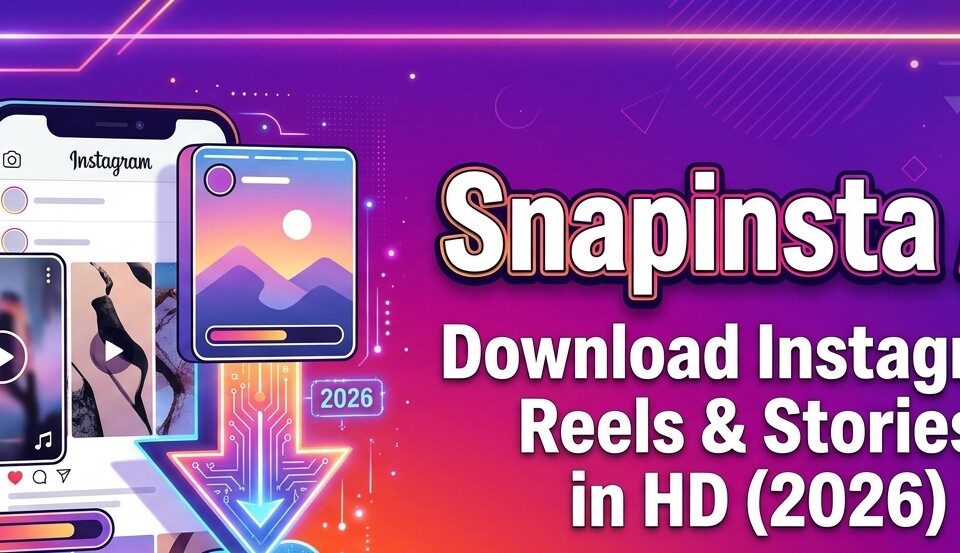
That is why lakhs of Indians search for Snapinsta AI every month. It is a free web tool that saves Instagram Reels, videos, photos and Stories to your phone or PC in a few seconds, with no app and no login.
But there is a lot of confusing information out there. Some blogs claim Snapinsta AI uses artificial intelligence to upscale videos to 4K and erase watermarks. Others don’t mention the dozens of look-alike sites, or whether downloading Reels is even legal in India.
This guide clears all of it up. I have tested Instagram downloaders for years, and below you will find exactly what Snapinsta AI is, how to use it on Android, iPhone and PC, what it can and cannot do, how safe it is, and what Indian copyright law says.
Quick answer: Snapinsta AI (snapinsta.ai, now rebranded as Snapins at snapins.ai) is a free online Instagram downloader. Copy a public post’s link, paste it on the site, tap Download, and the Reel, photo, Story or profile picture saves in the highest quality Instagram serves. No login or app is required. It only works for public accounts, and you should use downloads for personal viewing, not reposting.
What is Snapinsta AI?
Snapinsta AI is a browser-based Instagram downloader. It started at the domain snapinsta.ai and now operates as Snapins at snapins.ai; its own developer profiles describe the tool as “Snapins (formerly Snapinsta)”. So if you see either name, it is the same service.
According to its listings, it can download videos, photos, Reels, Stories, IGTV and profile pictures from Instagram in high quality. You paste a link, and it gives you a direct download button.
Is there real “AI” in Snapinsta AI?
Honestly, mostly no. “.ai” is simply the domain extension the tool chose. The tool’s own descriptions talk about fast, free, HD downloads with no watermark and no login. They do not advertise AI upscaling, AI watermark removal or batch processing.
Some review blogs claim the opposite, but none show a test. Treat those claims with caution. What you actually get is the original file Instagram stores, not an AI-enhanced version.
How does it work behind the scenes?
Every public Instagram post has a media file stored on Instagram’s servers. When you paste a link, Snapinsta AI reads that public post, finds the original video or image file, and hands you a link to save it.
This is better than screen recording because:
- The audio and video stay perfectly in sync.
- You get the uploaded resolution (usually 720p or 1080p for Reels), not your screen’s resolution.
- There are no notification bars, buttons or captions burnt into the video.
Snapinsta AI vs other “Snapinsta” sites
The Snapinsta name is used by many unrelated sites, including snapinsta.app, snapinsta.to and snapinst.app. Some of them change domains often and run heavy ads. They may look identical but are run by different people. Bookmark the one you trust and always check the address bar before pasting anything.
Key features of Snapinsta AI
| Feature | What it means for you |
|---|---|
| Reels download | Saves Reels as MP4 with original audio |
| Video and IGTV download | Works for longer feed videos too |
| Photo and carousel download | Saves single photos or every slide of a carousel post |
| Story download | Saves public Stories while they are live (within 24 hours) |
| Profile picture (DP) viewer | Shows and saves a public profile photo in full size |
| No login | You never enter your Instagram password |
| No app needed | Runs in Chrome, Safari or any browser |
| No watermark added | The tool adds no logo of its own |
| Free | No paid plan needed for normal use |
| Multi-language | Available in English and many other languages |
Two things it cannot do: download from private accounts, and improve a video beyond the quality the creator uploaded.
How to use Snapinsta AI: step-by-step guide
The process is the same for every type of post: copy link, paste, download. Here is the exact flow for each device.
Snapinsta AI Reels download on Android
- Open the Instagram app and play the Reel you want.
- Tap the Share icon (paper plane), then tap Copy link.
- Open Chrome and go to the Snapinsta AI (Snapins) website.
- Long-press the input box and tap Paste.
- Tap Download and wait 2–5 seconds.
- Tap Download Video below the preview. The MP4 saves to your Downloads folder and appears in your Gallery.
Tip: if the video opens in a new tab instead of downloading, tap the three-dot menu in that tab and choose Download.
Snapinsta AI on iPhone (iOS)
- In Instagram, tap Share on the Reel or post, then Copy link.
- Open Safari (it handles downloads best on iPhone).
- Visit the Snapinsta AI website and paste the link.
- Tap Download, then Download Video or Download Image.
- Tap the Download icon in Safari’s address bar and open the file.
- Tap Share, then Save Video to move it from the Files app to your Photos.
On iOS 13 and later, Safari saves files to Files > Downloads by default, which is why step 6 matters.
On Windows PC or Mac
- Open instagram.com in your browser and open the post.
- Copy the URL from the address bar (it looks like instagram.com/reel/…).
- Open the Snapinsta AI website in a new tab and paste the URL.
- Click Download, then the download button under the preview.
- The file lands in your Downloads folder.
How to download Instagram Stories with Snapinsta AI
- Open the public profile in Instagram and tap the Story.
- Tap the three dots or Share icon and copy the Story link. You can also copy the profile link.
- Use the Story Download option on the site and paste the link.
- All live Stories appear; tap Download on the one you want.
Stories vanish after 24 hours unless the creator adds them to Highlights, so save them in time.
How to download photos and carousel posts
Copy the post link and paste it the same way. For a carousel, Snapinsta AI shows every slide; download each image or video separately.
How to view and save an Instagram DP in full size
Copy the profile link (Profile > three dots > Copy profile URL) or type the username, then use the profile picture option. Instagram shows DPs as small circles; this lets you see the full-size public image.
Snapinsta AI se reel kaise download kare? (Hindi summary)
Instagram app mein Reel kholiye, Share button dabakar Copy link kijiye. Ab Chrome mein Snapinsta AI website kholiye, link ko box mein paste kijiye aur Download dabaiye. Kuch hi second mein video aapki Gallery mein save ho jayegi. Dhyan rahe, sirf public account ki Reels hi download hoti hain.
Is Snapinsta AI safe to use?
Snapinsta AI is reasonably safe if you use it carefully. The core action, pasting a public link, shares no personal data. The risk comes from ads and fake copies, not the download itself.
What makes it fairly safe
- It never asks for your Instagram username or password.
- Nothing is installed on your phone, so no app permissions are involved.
- The creator is not notified when you download a public post.
What to watch out for
- Fake download buttons. Free downloaders run ads. Some ads look like a big green “Download” button. Only tap the button that appears directly under your video preview.
- Pop-ups and redirects. If a new tab opens, close it and return. Never allow notifications from the site.
- APK files. Snapinsta AI is a website. If any site pushes you to install a “Snapinsta APK”, skip it. Unknown APKs are a common malware route on Android.
- Login requests. If a downloader asks for your Instagram password, leave. Your account can be hacked or banned.
- Clone domains. Many copycat sites use the Snapinsta name and switch domains frequently. Check the address before you paste.
A simple safety setup: use Chrome or Brave with an ad blocker, keep Google Play Protect on, and bookmark the official site.
Is Snapinsta AI legal in India?
Using a downloader is not a crime in itself. What you do with the downloaded file decides whether it is legal.
India’s Copyright Act, 1957 protects original works. Legal commentators note that Reels are generally treated as cinematograph films, which include visual recordings with sound. The music inside a Reel is separately protected as a sound recording and musical work.
India follows fair dealing under Section 52 of the Act. This is narrower than the American “fair use” doctrine. It covers uses like private study, research, criticism, review and news reporting.
Generally okay
- Saving a Reel to watch offline for yourself
- Downloading your own content to repost on YouTube Shorts or backup
- Saving a clip for study, criticism or review, with credit
- Reposting with the creator’s written permission
Risky or illegal
- Reposting someone’s Reel as your own
- Using downloaded videos or music in ads or brand promotions without a licence
- Cropping out a creator’s watermark and re-uploading
- Earning money from someone else’s content
Commercial use is where Indian companies have landed in court. Zee Entertainment sued Nykaa in the Delhi High Court over the alleged use of its copyrighted songs in Instagram Reels, seeking about $210,000 in damages.
Also note that writing “no copyright intended” or “credits to the owner” in a caption does not make copying legal.
Instagram’s own Terms of Use also prohibit collecting content through automated means without permission. Personal saving is low-risk, but your account can be reported if you repost others’ work.
Disclaimer: this section is general information, not legal advice. Consult a lawyer for commercial use.
Snapinsta AI pros and cons
Pros
- Free, fast and works on any device with a browser
- No login, no app, no sign-up
- Saves original quality with audio in sync
- Handles Reels, videos, photos, carousels, Stories and DPs in one place
Cons
- Works only with public accounts
- Ads and occasional fake buttons
- Can break for a few hours when Instagram changes its systems
- Many clone sites make it hard to know which one is genuine
- No real AI enhancement, despite the name
Snapinsta AI alternatives: which method should you use?
Before you use any third-party site, check whether Instagram already lets you download the Reel. Instagram now has a built-in download option for public Reels, if the creator allows it.
How to use Instagram’s official download: open the Reel, tap Share, then tap Download. If the button is missing, the creator has turned off “Allow people to download your reels”. Note that officially downloaded Reels carry an Instagram watermark with the creator’s username.
| Method | Quality | Watermark | Login | Works on private accounts | Best for |
|---|---|---|---|---|---|
| Instagram’s built-in Download | Original | Instagram + username | Your own Instagram app | No | Safest, legal saving of public Reels |
| Snapinsta AI (Snapins) | Original | None added | No | No | Stories, photos, DPs, Reels without the button |
| Other web downloaders (SaveInsta, FastDL, iGram, Inflact) | Original | None added | No | No | Backup when one site is down |
| Story-draft trick (Add to Story > Save) | Slight loss | None | Your app | No | Quick save without any site |
| Phone screen recording | Lower, includes UI | None | Your app | Yes, only what you can see | Last resort |
| “Your activity” data download | Original | None | Your account | Your own posts only | Backing up all your own content |
My recommendation: use Instagram’s built-in Download first. Use Snapinsta AI for Stories, photos, carousels or when the creator has not enabled downloads and you only need a personal copy. Use screen recording only as a last resort.
For creators who want to repurpose their own Reels, go to your Reel, tap the three dots and choose Save to device, or download your full data from Settings > Your activity > Download your information.
Snapinsta AI not working? Fixes for common errors
| Problem | Likely cause | Fix |
|---|---|---|
| “Invalid link” or “URL not found” | Wrong or incomplete link | Copy the link again from Share > Copy link; remove extra text before or after the URL |
| “This account is private” | Content is from a private account | Not possible; ask the creator to share the file with you |
| Video plays but won’t download | Browser opens the file instead | Long-press the video and choose Download, or use the three-dot menu in Chrome |
| Downloaded video has no sound | Licensed music muted by Instagram | Try the official Download button; some songs are restricted in your region |
| Story not found | Story expired after 24 hours | Check if it was added to Highlights and download from there |
| Site loads slowly or shows errors | Instagram changed something, or high traffic | Wait 15–30 minutes, clear cache, or try an alternative |
| File missing on iPhone | Saved to Files, not Photos | Open Files > Downloads, tap Share > Save Video |
| Low quality output | Creator uploaded in low quality | No tool can add detail that was never uploaded |
Conclusion: should you use Snapinsta AI?
Yes, for personal use. Snapinsta AI is one of the simplest ways to save public Instagram Reels, Stories, photos and DPs to your phone or PC. It is free, needs no login, and gives you the original file.
Just go in with the right expectations. The “AI” is a name, not a feature. It works only for public accounts. And the ads and clone sites mean you should stay alert.
For the safest route, try Instagram’s own Download button first. When it is missing, or you need a Story or carousel, Snapinsta AI is a solid backup. Whatever you save, credit the creator and never repost their work as your own.
Frequently asked questions about Snapinsta AI
What is Snapinsta AI?
Snapinsta AI is a free online tool that downloads Instagram Reels, videos, photos, Stories, IGTV and profile pictures. It runs in your browser and needs no login. It now operates under the name Snapins.
Is Snapinsta AI free?
Yes. Normal downloads are free. The site earns money from ads, so expect some pop-ups.
Is Snapinsta AI the same as Snapins?
Yes. The tool’s own profiles describe Snapins as “formerly Snapinsta”. Other sites like snapinsta.app or snapinsta.to are separate services.
Does Snapinsta AI really use artificial intelligence?
Not in any way that changes your download. The “.ai” is a domain name. You get the original file from Instagram, without upscaling or AI editing.
Can Snapinsta AI download from private accounts?
No. It only works with public posts. Any site claiming to download private content is likely a scam or asks for your password.
Will the person know I downloaded their Reel or Story?
No. Downloading a public post through Snapinsta AI sends no notification to the creator.
Does Snapinsta AI add a watermark?
No, it adds none of its own. Any text the creator put on the video stays.
What quality does Snapinsta AI download in?
The same quality the creator uploaded and Instagram stores, usually up to 1080p for Reels. It cannot make a video sharper than the original.
Can I download Instagram Reels audio as MP3?
Snapinsta AI saves Reels as MP4 with audio. For music, remember that songs are copyrighted; save audio inside Instagram using the “Save audio” option instead.
Is it legal to download Instagram Reels in India?
Saving for personal offline viewing is generally low-risk. Reposting, using clips commercially, or removing watermarks can violate the Copyright Act, 1957 and Instagram’s terms.
Is there a Snapinsta AI app?
No official app is needed; it is a website. Avoid “Snapinsta APK” files from unknown sources.
Why is Snapinsta AI not working today?
Usually Instagram has changed something, or the link is wrong. Re-copy the link, wait a few minutes, or use Instagram’s built-in Download button.