Defender GO 2K AI Powered WiFi Indoor/Outdoor Home Security Camera Review (2026): Is This $25 Camera Worth It?

A security camera that shoots sharp 2K video, handles rain, and records locally without a subscription used to cost $60 or more. The Defender GO 2K AI Powered WiFi Indoor/Outdoor Home Security Camera does all three for about the price of a takeout dinner.
But cheap cameras usually cut corners somewhere. This review covers everything you need to know before buying: full specs, video and night vision performance, AI detection, storage options, subscription costs, how it compares to Wyze, Tapo, Blink and Ring, and exactly who should (and shouldn’t) buy it.
Quick Verdict
The Defender GO is one of the best-value 2K cameras you can buy in 2026. Video quality is excellent for the price, it works indoors and outdoors, and microSD recording means you never have to pay a monthly fee. The trade-offs are a modest spotlight, no Alexa or Google Home support, and pet and vehicle detection locked behind a paid plan.
Best for: Budget buyers, renters, pet owners, parents who want a nursery cam, and anyone adding cheap coverage to a porch, garage, or side yard.
Skip it if: You need smart home integration, web browser viewing, or a battery-powered camera you can mount anywhere without an outlet.
Defender GO 2K at a Glance: Full Specifications
| Feature | Defender GO 2K |
|---|---|
| Resolution | 2K (2304 x 1296), about 2x the pixels of 1080p |
| Field of view | 108° |
| Frame rate | 15 fps |
| Night vision | Infrared (up to 32 ft) plus color night vision via spotlight |
| Spotlight | 80 lumens |
| Siren | Yes, triggered manually or by motion |
| Audio | Two-way talk (built-in mic and speaker) |
| Weather rating | IP65 (dust-tight, protected against water jets) |
| Power | Plug-in, USB-C cable and adapter included |
| Wi-Fi | Dual-band 2.4 GHz and 5 GHz |
| Local storage | microSD card up to 256GB (not included) |
| Cloud storage | Optional Go Cloud plans from $2.99/month |
| AI detection | Person (free); pet and vehicle with a paid plan |
| App | Defender ClearVu (iOS and Android) |
| Smart home | No Alexa or Google Home support |
| Camera limit | Up to 6 per location, 16 per app account |
| Warranty | 12 months |
| Price | $24.99 list, often around $20 |
What’s in the Box
- Defender GO 2K camera
- USB-C power cable and power adapter
- Adjustable mounting base with screws and a drilling template
- “Protected by Defender” window sticker
- Quick-start guide with a QR code for the app
A microSD card is not included, so budget an extra $8 to $20 if you want free local recording from day one.
Design and Build Quality
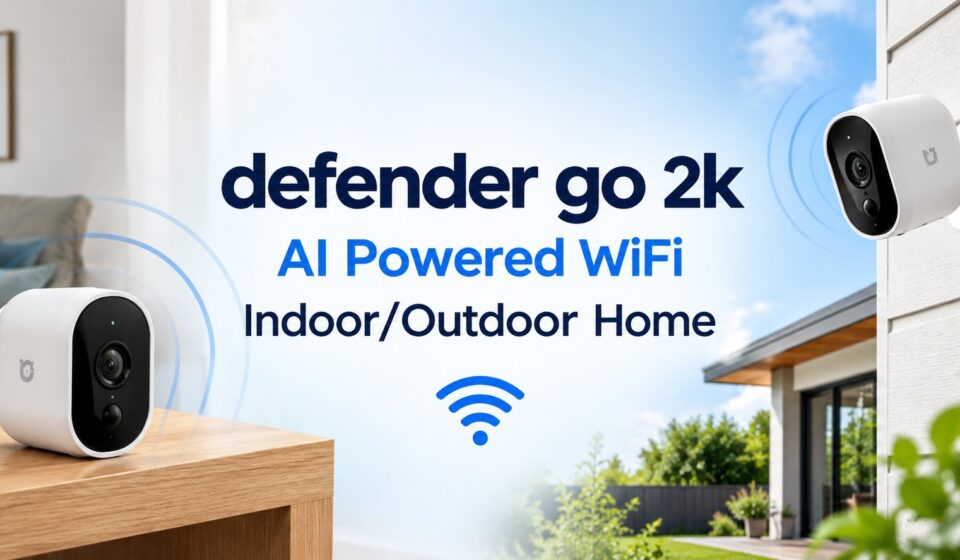
The GO is Defender’s smallest camera, and it’s genuinely compact. It’s small enough to sit on a bookshelf without drawing attention, yet it carries an IP65 rating that lets it survive rain, dust, and snow on a covered porch or under an eave.
The adjustable base lets you angle the lens up, down, and sideways, and the same mount works on a wall, ceiling, or flat surface. The only physical limitation is power: this is a plug-in camera, so every install location needs an outlet within cable reach.
How to Set Up the Defender GO 2K (Step by Step)
Setup takes about three minutes, even if you’ve never installed a smart camera before.
- Download the Defender ClearVu app. Scan the QR code in the quick-start guide to go straight to the App Store or Google Play listing.
- Create an account and tap “Add Device.” The home screen prompts you right away.
- Scan the QR code on top of the camera. This starts pairing.
- Connect to Wi-Fi. The app fills in whichever network your phone is currently on, so connect your phone to the network you want the camera on before you start. That saves an extra step.
- Enter your Wi-Fi password and allow local network access. A progress bar shows connection status, which usually finishes in under a minute.
- Name your camera and tap “Get Started.”
Pro tip: If your router broadcasts separate 2.4 GHz and 5 GHz networks, use 5 GHz for cameras close to the router (smoother live view) and 2.4 GHz for cameras farther away or outdoors (better range through walls).
Video Quality: Is 2K Really Better?
Yes, and noticeably so. At 2304 x 1296, the GO captures roughly twice the detail of the 1080p cameras that dominate this price range. That extra resolution matters most when you zoom in on a face, a license plate, or a delivery driver’s uniform.
Defender pairs the sensor with strong image processing that cleans up noise and motion blur, which helps offset the modest 15 fps frame rate. Independent testers have ranked its picture among the sharpest they’ve seen in a budget camera.
Two limitations are worth knowing. Fast-moving or distant subjects lose some detail, which is typical at 15 fps. And very bright skies can wash out in harsh daylight, so angle outdoor cameras slightly downward to keep the sky out of the frame.
Night Vision: Infrared vs. Color
The GO offers two night modes:
- Infrared night vision switches on automatically after dark and reaches up to 32 feet. It’s the better mode for wide areas like a driveway or backyard.
- Color night vision uses the 80-lumen spotlight to light up the scene in full color. It’s most useful for close-range spots like a front door, where seeing clothing colors helps identify someone.
The spotlight isn’t very bright beyond a few feet, so don’t expect it to light up an entire yard. For most outdoor setups, infrared gives more usable footage at distance, while the spotlight works better as a deterrent than as a floodlight.
AI Detection: What’s Free and What Costs Extra
This is where buyers get confused, so here’s the breakdown:
| Detection type | Free (no plan) | Go Cloud Basic | Go Cloud Plus / Unlimited |
|---|---|---|---|
| Motion detection | ✅ | ✅ | ✅ |
| Person detection | ✅ | ✅ | ✅ |
| Pet detection | ❌ | ❌ | ✅ |
| Vehicle detection | ❌ | ❌ | ✅ |
Free person detection is a genuine advantage. Brands like Ring, Blink, and Arlo charge for it. Person alerts cut down on false notifications from swaying trees, passing headlights, and shadows, which is the main reason most people want “AI” in the first place.
You can also set motion zones to ignore areas like a busy sidewalk or a neighbor’s driveway.
Two-Way Audio, Siren, and Spotlight
The ClearVu live view puts all the key controls one tap away:
- Intercom: Talk through the camera to greet a courier, calm a dog, or tell a kid to finish their homework.
- Siren: Sound a loud alarm through the camera speaker to scare off intruders.
- Spotlight: Turns on automatically when it detects motion at night, or manually whenever you want.
- Night vision toggle: Override the automatic switch if needed.
Audio is clear indoors, which makes the GO a solid budget baby monitor or pet cam. Outdoors, wind and traffic can drown out the small speaker, so keep conversations short.
Storage Options: microSD vs. Cloud
Free Local Storage (microSD)
Insert a microSD card up to 256GB and the GO records without any monthly fee. Playback in the app shows a timeline plus a grid of clips you can tap to jump straight to an event. Defender also says the camera supports local recording to a network video recorder (NVR), which is handy if you’re building a larger system.
For most homes, a 128GB card holds plenty of event-based footage before older clips are overwritten.
Defender Go Cloud Plans (2026 Pricing)
| Plan | Monthly | Annual | Cameras | Video history | Smart detection |
|---|---|---|---|---|---|
| Go Cloud Basic | $2.99 | $29.99 | 1 | 7 days | Person |
| Go Cloud Plus | $6.99 | $69.99 | 1 | 30 days | Person, pet, vehicle |
| Go Cloud Unlimited | $14.99 | $149.99 | Unlimited | 14 days | Person, pet, vehicle |
Which plan makes sense?
- One camera, basic needs: Skip the plan and use a microSD card.
- One camera, want off-site backup: Go Cloud Basic protects footage even if a thief steals the camera or card.
- One camera, pets or a driveway: Go Cloud Plus unlocks pet and vehicle alerts.
- Three or more cameras: Go Cloud Unlimited becomes cheaper per camera than buying individual plans.
The Defender ClearVu App
ClearVu is clean and uncluttered. From the home screen you can switch camera layouts, open any live feed, add devices, check the Events tab (all alerts from every camera in one place), and manage sharing so family members can view feeds too.
A few quirks to know:
- Paired cameras can take a few seconds to appear when the app first loads.
- There’s no web browser viewing, so you can only watch footage on a phone or tablet.
- Defender uses different apps for different camera lines. Its Guard-series cameras use the Defender Guard app instead, and the two aren’t cross-compatible. If you plan to mix Defender models, you may end up with two apps and two subscriptions.
Smart Home Compatibility
The Defender GO does not work with Amazon Alexa, Google Home, or Apple HomeKit. You can’t pull up the feed on an Echo Show or Nest Hub, and you can’t trigger routines from camera events.
For many buyers that’s fine, since the app does everything on its own. But if you already run a smart home, this is the biggest reason to look elsewhere.
Indoor vs. Outdoor Use: Best Places to Install
Indoor ideas:
- Living room or entryway to watch doors and windows
- Nursery (clear indoor audio, color night vision)
- Pet area or crate zone
- Home office or garage workshop
Outdoor ideas:
- Front porch under an overhang (package watch)
- Side gate or back door
- Detached garage or shed
- Small business storefront or stockroom
Outdoor installation tips:
- Mount it 7 to 9 feet high, angled slightly down, to capture faces and keep bright sky out of the frame.
- Keep the USB-C connection and power adapter sheltered from direct rain. IP65 protects the camera body, not the plug.
- Use an outdoor-rated extension cord or weatherproof outlet cover if you’re running power outside.
- Check Wi-Fi signal strength at the mount spot on your phone before drilling.
Defender GO 2K vs. Competitors
| Camera | Typical price | Resolution | Indoor/Outdoor | Local storage | Free person detection | Smart home |
|---|---|---|---|---|---|---|
| Defender GO 2K | ~$20–25 | 2K | Both | microSD up to 256GB | ✅ | ❌ |
| Wyze Cam OG | ~$30 | 1080p | Both | microSD up to 256GB | ❌ (plan) | ✅ Alexa/Google |
| Tapo C100 | ~$25 | 1080p | Indoor only | microSD up to 512GB | Varies | ✅ Alexa/Google |
| Blink Mini | ~$30 | 1080p | Indoor only | Needs $50 Sync Module 2 | ❌ (plan) | ✅ Alexa |
| Ring Indoor Cam | ~$50 | 1080p | Indoor only | None (cloud only) | ❌ (plan) | ✅ Alexa |
Defender GO vs. Wyze Cam OG: The closest rival. Wyze wins on smart home support and a larger ecosystem, while Defender wins on resolution, price, and free person detection.
Defender GO vs. Tapo C100: Tapo supports bigger microSD cards and works with Alexa and Google, but it’s indoor-only and 1080p. If you need any outdoor coverage, Defender is the better buy.
Defender GO vs. Blink Mini and Ring Indoor Cam: Both depend on subscriptions or extra hardware to save video, which makes them more expensive over time. Defender’s free microSD recording makes it the cheaper camera to own.
Pros and Cons
Pros
- Sharp 2K video that beats 1080p rivals at the same price
- True indoor/outdoor use with IP65 weatherproofing
- Free local recording on microSD (up to 256GB)
- Person detection included without a subscription
- Dual-band Wi-Fi for a stable connection
- Built-in siren, spotlight, and two-way audio
- Three-minute setup with a beginner-friendly app
- Very low price, especially in multi-packs
Cons
- Spotlight is weak beyond a few feet
- Bright skies can overexpose the image
- No Alexa, Google Home, or HomeKit support
- Pet and vehicle detection require the $6.99/month Plus plan or higher
- No web browser viewing
- Plug-in only (needs an outlet nearby)
- Separate apps across Defender camera lines
Who Should Buy the Defender GO 2K?
Buy it if you:
- Want the sharpest video possible for around $25
- Prefer not to pay a monthly subscription
- Need one camera that works both inside and outside
- Are a renter who wants simple, non-permanent security
- Want an affordable pet cam or nursery monitor
- Are covering several spots on a budget (multi-packs lower the per-camera cost)
Look elsewhere if you:
- Rely on Alexa or Google Home routines and displays
- Need battery or solar power for spots without an outlet
- Want a powerful floodlight to light up a large yard
- Need fast-motion capture at 30 fps (for example, watching a busy street)
Also Read: Altia Systems PanaCast 2 Review (2026): Is This 2018-Era Camera Still Worth Buying?
Final Verdict: Is the Defender GO 2K Worth Buying?
For most people shopping under $30, yes. The Defender GO 2K AI Powered WiFi Indoor/Outdoor Home Security Camera delivers a rare combination at this price: genuinely sharp 2K video, real weatherproofing, free local recording, and free person detection. It outclasses most 1080p competitors on image quality and costs less to own than cloud-dependent cameras like Blink and Ring.
It isn’t perfect. The spotlight is modest, the lack of smart home support will bother some buyers, and the best AI features cost extra. But if you want clear footage and dependable alerts without a monthly bill, the Defender GO is one of the smartest security buys of 2026.
Rating: 4.3 / 5
Prices and plan details are accurate as of September 2026 and may change. Check the retailer for current pricing.
Frequently Asked Questions
Does the Defender GO 2K require a subscription?
No. You can watch live video, get motion and person alerts, use two-way talk, and record to a microSD card without paying anything. A Go Cloud plan is only needed for cloud backup and pet and vehicle detection.
Can the Defender GO 2K be used outdoors?
Yes. It carries an IP65 weather rating, so it handles rain, snow, and dust. Mount it under an overhang when possible and keep the power connection protected from water.
Is the Defender GO battery powered?
No. It’s a plug-in camera powered by the included USB-C cable and adapter, so it needs a nearby outlet.
What size microSD card does the Defender GO support?
It supports microSD cards up to 256GB. A card is not included in the box.
Does the Defender GO work with Alexa or Google Home?
No. It currently works only through the Defender ClearVu app on iOS and Android.
Does the Defender GO have color night vision?
Yes. Its 80-lumen spotlight provides color night vision at close range, and infrared night vision covers up to 32 feet in black and white.
What Wi-Fi does the Defender GO 2K need?
It supports dual-band Wi-Fi on both 2.4 GHz and 5 GHz networks, so it works with nearly any modern home router.
Can I view Defender GO footage on a computer?
Not at the moment. Defender doesn’t offer web viewing, so footage is viewable only through the mobile app on phones and tablets.
How many Defender GO cameras can I connect?
You can connect up to 6 cameras per location and up to 16 cameras per app account.
Is the Defender GO good for a baby monitor or pet camera?
Yes. Indoor audio is clear, two-way talk works well, and color night vision helps in dim rooms. Free person detection covers basic monitoring, while pet detection requires the Go Cloud Plus plan.
What’s the difference between Go Cloud Basic and Go Cloud Plus?
Basic ($2.99/month) stores 7 days of events with person detection for one camera. Plus ($6.99/month) extends history to 30 days and adds pet and vehicle detection.
Where can I buy the Defender GO 2K?
It’s sold on Amazon, at Target, at The Home Depot, and directly from Defender’s website, often in 2-, 3-, and 4-camera packs that lower the price per camera.