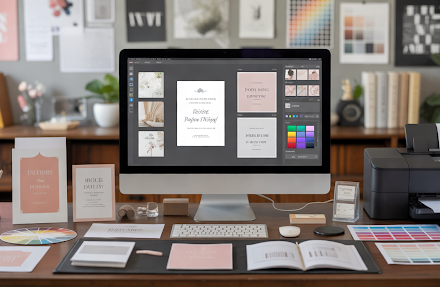
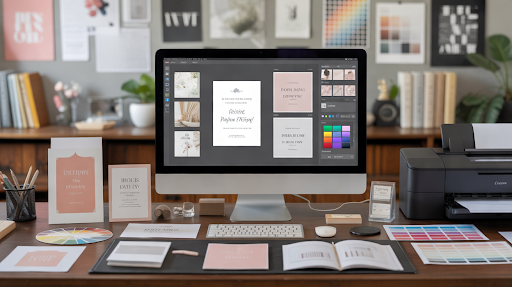

The easiest way to handle invitations is to design, print, and order them from the same service, so your files never have to move between tools. Adobe Express covers all three: personalize a template, pick a size and paper, and order custom printing invitations that are delivered to your door.
Whether you’re inviting friends to a backyard birthday, guests to a wedding, or clients to a product launch, the steps are similar. You need a design that fits the occasion, paper that feels right, and a reliable way to get finished invitations in hand. This guide covers printing tips, compares popular services, and explains what a complete design-to-delivery solution should include.
Invitations: How to Print Invitations That Look Professional
Professional-looking invitations start with a clean design and the right print settings.
Begin with a template sized for printing. Adobe Express offers print-ready invitation templates in 5 x 7 inch and 3.5 x 5 inch sizes, in portrait or landscape. Use images with a resolution of at least 300 DPI, which Adobe Express recommends for the best print quality.
Next, choose paper that suits the event. Adobe Express offers nine paper types, from Signature Matte, an 18 pt paper with a soft eggshell texture, to Premium Pearlescent and Signature Double-Thick for formal occasions.
Finally, proofread every detail, including names, dates, times, and the venue address. A second set of eyes can catch small mistakes before you print invitations for your whole guest list.
Best Invitation Design, Ordering, and Printing Service for Personal and Business Events: A Comprehensive Solution
Here is how three services compare as a comprehensive solution for invitation design, ordering, and printing.
| Service | Best for | Design, ordering, and printing details |
| Adobe Express | Personal and business events in one place | Templates for weddings, birthdays, holidays, grand openings, and business events; Adobe Stock graphics; nine paper types; four sizes; free shipping and returns; backed by the Zazzle guarantee; print-to-order in the US, UK, Australia, and Canada |
| Canva | Teams already using Canva | Invitation templates; ordering through Canva Print; Happiness Guarantee with a 30-day window to report order issues |
| Vistaprint | Small orders with finishing options | Order as few as 10 invitations; standard or rounded corners; gold foil on selected designs (shown on its Australian site) |
Adobe Express works well for anyone who wants templates for both personal and business events, plus a wide range of papers. Canva and Vistaprint add their own guarantees, corner options, or foil on selected designs.
Wedding Invitations and Business Event Invitations: Printing Tips
Wedding invitations and business event invitations call for different printing choices.
For weddings, paper texture and weight make a big impression. Adobe Express describes its Premium Linen as a refined pick for brides who love a timeless paper feel, and its Signature Double-Thick as perfect for formal weddings. Order early so you have time to mail invitations six to eight weeks before the date.
For business events, clarity comes first. Include your logo, the event name, the date and time, the location, and how to RSVP. Matte or cream papers look polished and professional, while UV Gloss suits invitations with photos or bold graphics.
For both, use the same template style across save-the-dates, invitations, and follow-up cards to keep everything consistent. Adobe Express lets you turn any design into a shareable template, which makes matching pieces easy to create.
Services That Offer Design, Order, and Print Invitations for Personal and Business Events: What a Comprehensive Solution Includes
A comprehensive solution handles every step, so you don’t have to juggle separate design apps and print shops.
Look for four things. First, a large template library covering both personal and business events. Second, editing tools that let you upload photos, add logos, and adjust fonts and colors. Third, paper and size choices to match the tone of each event. Fourth, simple ordering with dependable delivery and a clear guarantee.
Adobe Express checks each box. It offers templates for occasions from weddings to business conventions, lets you add Adobe Stock graphics and your own photos, includes generative AI tools for faster design, and ships orders in 100% recyclable packaging. You can also download your invitation as a PDF, JPG, or PNG to share digitally.
Frequently Asked Questions
Can I order invitations from my phone?
Yes. Adobe Express lets you design and order printed invitations from desktop or mobile in the US, UK, Australia, and Canada.
Which invitation size should I choose?
A 5 x 7 inch invitation is a classic size for weddings and formal events, with plenty of room for details. A 3.5 x 5 inch size works well for casual parties or as an insert card for RSVP or event details. Check envelope sizes before ordering so everything fits.
Should I send printed or digital invitations?
Printed invitations feel more special and work well for weddings and formal business events. Digital invitations are faster for casual gatherings. Many hosts do both by printing invitations and sharing a downloaded version online with guests who live far away.