
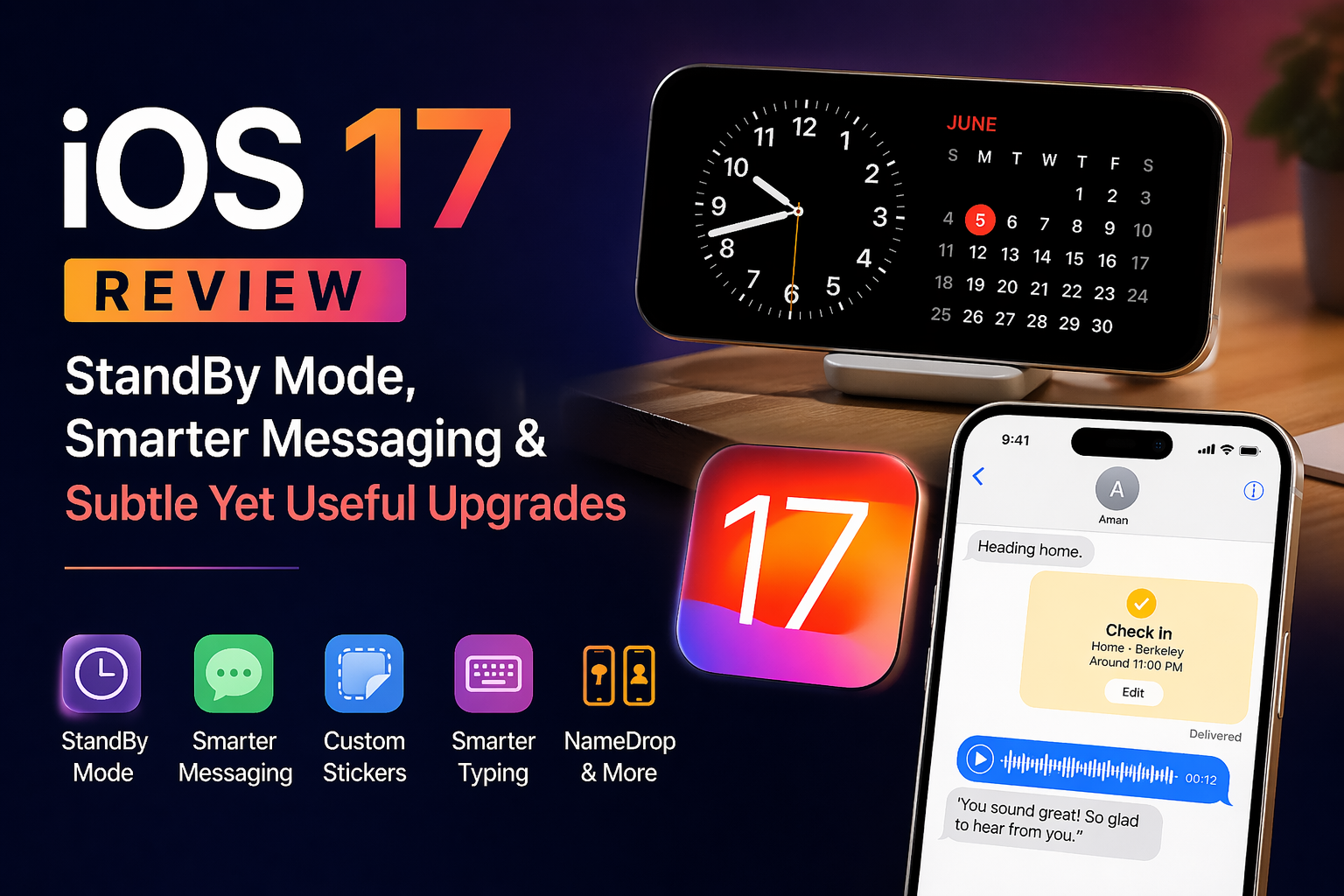

Apple’s iOS 17 doesn’t try to reinvent the iPhone—it refines it. Instead of dramatic visual changes, this update focuses on improving how you communicate, interact, and use your phone in everyday situations. From a new StandBy experience to smarter Messages features, iOS 17 feels more practical than flashy.
StandBy Mode: Turning Your iPhone Into a Smart Display
The standout feature of iOS 17 is StandBy mode. When you place your iPhone horizontally while charging, it transforms into a full-screen display showing useful information like clocks, widgets, photos, or live updates.
This feature essentially gives your iPhone a second life when it’s not in your hand. Whether it’s sitting on your desk or bedside table, StandBy makes it easier to glance at important information from a distance. It supports widgets, live activities, and even notifications, making it feel like a mini smart display.
While it’s a clever addition, its usefulness depends on how often you keep your phone docked or propped up. For some users, it may become a daily habit; for others, it might feel more like a nice extra than a must-have.
Also Read: 10 Best Free Scanner App for iPhone in 2025
Messages Gets More Intuitive and Feature-Rich
Apple has made several meaningful improvements to the Messages app, focusing on usability and convenience rather than flashy changes.
The interface is cleaner, with apps and features now tucked into a simple expandable menu. Searching conversations is faster and more precise thanks to filters, and a new “catch-up” indicator helps you quickly jump to unread messages.
One of the most useful additions is the Check In feature, which automatically notifies friends or family when you reach your destination. If something goes wrong, it can even share location, battery status, and connectivity details—adding a layer of safety to everyday travel.
Apple has also improved audio messages by adding automatic transcription, allowing you to read them instantly instead of listening.
Stickers, Personalization & Expressive Communication
iOS 17 puts a big emphasis on making conversations more expressive. Users can now create custom stickers directly from photos, turning subjects into shareable elements.
These stickers can be enhanced with effects and accessed from a unified sticker drawer across apps. It’s a fun feature that adds personality to chats without feeling gimmicky.
Smarter Typing and Better Autocorrect
Typing on iPhone gets a noticeable upgrade with improved autocorrect powered by a more advanced language model. It now corrects sentences more accurately and offers better predictive suggestions.
Inline predictions allow you to complete words or even sentences faster, making everyday typing smoother and less frustrating.
AirDrop, Phone & Other Enhancements
Beyond messaging, iOS 17 introduces several smaller but useful improvements:
- NameDrop lets you share contact details just by bringing two iPhones close together
- Live Voicemail transcribes messages in real time
- AirDrop transfers can continue in the background
- Siri becomes easier to use by dropping the “Hey” trigger
These changes aren’t groundbreaking individually, but together they make the system feel more polished and intuitive.
A More Mature, Less Flashy Update
iOS 17 isn’t about big visual changes—it’s about refinement. Apple has focused on enhancing core features like communication, typing, and everyday usability.
StandBy mode is the headline feature, but the real value lies in the smaller improvements that make daily interactions smoother. Overall, this update feels like a step toward a more mature and practical iPhone experience rather than a revolutionary leap.
Final Verdict
iOS 17 is a thoughtful upgrade that improves how you use your iPhone rather than how it looks. If you value better messaging tools, smarter typing, and new ways to use your device when idle, it’s a worthwhile update.
However, if you’re expecting a dramatic redesign or major new apps, this version might feel a bit understated.