
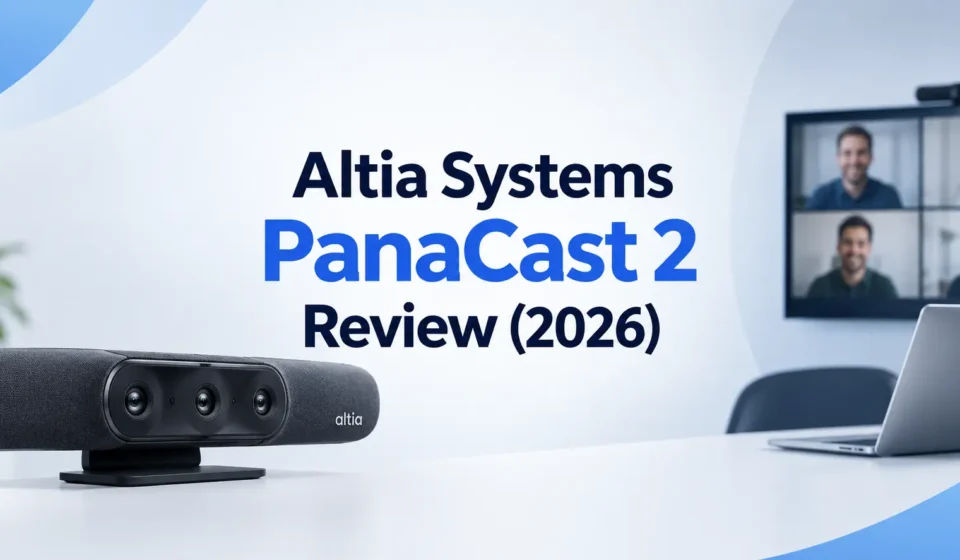

The Altia Systems PanaCast 2 is a legacy huddle-room camera, not a current product — Altia Systems was acquired by Jabra’s parent company GN Audio back in March 2019, and the camera line has since moved on to the PanaCast 20 and PanaCast 50. If you’re researching this specific model today, the most useful thing anyone can tell you up front is whether it’s still worth tracking down a unit, and the honest answer depends entirely on why you’re looking.
The Core Trade-Off: Unmatched Field of View, No Speakers
Everything about this camera comes down to one design decision. Altia built three synchronized image sensors into a small housing to stitch together a genuinely distortion-free 180-degree horizontal field of view — wide enough to capture a full small conference table without the fisheye warping typical of single-lens wide cameras. To hit that price point and form factor, they left out speakers entirely. You’re relying on whatever audio setup is already connected to your computer.
| Spec | Detail |
|---|---|
| Field of view | 180° horizontal x 54° vertical, stitched from 3 synchronized sensors |
| Resolution | 3840 x 1080 — not true 4K (true 4K is 3840 x 2160); the extra width goes to panoramic coverage, not vertical detail |
| Dimensions / weight | 1 x 2.9 x 2.4 in (HWD), 0.3 lb — genuinely pocketable |
| Connectivity | USB 2.0/3.0, UVC-compliant, no drivers needed on Windows 7+ or Mac OS X 10.9+ |
| Power | USB 3.0 can power the unit directly; USB 2.0 requires the included power adapter |
| Microphones | 2 mics with audio DSP, 16kHz sample rate, beamforming and echo cancellation, roughly 12 ft rated pickup range |
| Speakers | None — audio output depends entirely on the connected computer |
| Stand | 10.8 in table stand included, no tilt adjustment; wall/ceiling mount available separately |
| Warranty | 1-year limited hardware warranty |
The Software Side Is More Complicated Than It Should Be
Altia shipped two separate software tools for this camera, and knowing the difference matters before you set one up:
- The PanaCast configuration utility handles firmware updates and basic settings — field of view, Intelligent Zoom, LED lights, line frequency, orientation, the Vivid image enhancement, and video mode. It does not include a live video preview, so you’re adjusting settings blind and checking the result afterward in your actual conferencing app.
- PanaCast Vision is the fuller app — a lightweight install that adds an actual video feed, virtual pan/tilt/zoom with presets, and the Whiteboard and people-recognition features. This is the one worth installing if you want to use the camera’s more advanced features at all.
Buyer’s note on add-on pricing: Intelligent Zoom and the Vivid enhancement have historically been sold as separate license-key purchases through the configuration utility, priced around $149 each on top of the base camera. Given the camera’s legacy status, don’t assume these add-ons are still purchasable or supported at that price — confirm availability before budgeting around them.
How It Actually Performs
The panoramic stitching genuinely works — three sensors blending into one wide image without the edge distortion a single ultra-wide lens produces, which is the entire reason this camera built a following in the first place. Where it falls short is speed: the automatic pan-and-zoom behavior can take upwards of 20 seconds to re-frame when someone moves into a previously cropped-out part of the frame, which is a noticeable lag in a live meeting.
The Vivid enhancement mode is situational rather than universally useful — it’s built to compensate for backlit conditions (a window behind a participant, for example), where it visibly helps expose faces correctly. In a normal, evenly lit interior room, the same setting tends to oversaturate colors rather than improve the image, so it’s worth toggling per-room rather than leaving on by default.
Audio held up as “acceptable but compressed” in real testing at distance — usable for a small huddle room, but a clear step below dedicated speakerphone hardware, and there’s no official extender mic option if you need to cover a larger room.
The Whiteboard and People-Counting Features Are Genuinely Distinctive
Two features set this camera apart from ordinary wide-angle webcams, and neither shows up in a typical spec sheet comparison:
- PanaCast Whiteboard lets you mark a physical whiteboard with a target square, and the software automatically corrects the perspective distortion so remote participants see it undistorted regardless of the camera’s angle to the board — a feature otherwise associated with far more expensive dedicated hardware.
- People detection and counting uses the camera’s field of view to count meeting participants via an API, even when heads are partially obscured, and that headcount data can feed into separate room-management or conferencing analytics software.
Where It Actually Falls Short
- No speakers, at all — the single biggest functional gap compared to bundled huddle-room systems that include audio output in the same unit.
- The included table stand doesn’t tilt, limiting your ability to angle the camera once it’s positioned.
- Slow re-framing when the automatic zoom needs to adjust to someone entering or moving within the frame.
- The base configuration utility has no live preview, making settings changes a guess-and-check process unless you’re using PanaCast Vision instead.
2026 Buying Status: What’s Actually Changed Since Launch
Altia Systems, the Cupertino startup behind this camera, was acquired by GN Audio — Jabra’s parent company — in a deal completed in March 2019. The PanaCast line continued under the Jabra brand, and development attention has clearly moved to the PanaCast 20 and PanaCast 50, both of which build on the same panoramic concept with newer AI-based framing and years of additional software refinement the original PanaCast 2 hasn’t received.
| PanaCast 2 (legacy) | Jabra PanaCast 20 | Jabra PanaCast 50 | |
|---|---|---|---|
| Status | Legacy, minimal ongoing development | Current generation | Current generation, all-in-one room system |
| Field of view | 180° (3-sensor stitched) | 180° (single sensor, AI framing) | 180° (multi-sensor, AI Virtual Director) |
| Speakers included | No | No (camera only) | Yes, built for full room audio |
| Best for | Matching an existing PanaCast 2 fleet | Personal desk or small huddle spaces | Larger meeting rooms wanting one integrated system |
Who Should Actually Consider This Today
- Good fit: an organization standardized on PanaCast 2 across multiple rooms that needs a matching replacement unit rather than mixing hardware generations.
- Good fit: a budget buyer picking up a used unit purely for the panoramic field of view, already planning to pair it with a separate speakerphone.
- Poor fit: anyone setting up video-conferencing hardware for the first time in 2026 — a PanaCast 20 or 50 gets you the same panoramic concept with years of subsequent improvement Jabra hasn’t backported to this unit.
Frequently Asked Questions
Is the Altia Systems PanaCast 2 still worth buying in 2026?
Only if you’re matching an existing fleet of PanaCast 2 units already deployed in your organization. Altia Systems was acquired by Jabra in 2019, and the camera hasn’t received meaningful feature updates since — the PanaCast 20 or PanaCast 50 will give you the same panoramic concept with years of subsequent improvement.
Does the PanaCast 2 have built-in speakers?
No. It has two microphones with digital signal processing for echo cancellation and beamforming, but no speaker output — audio playback relies entirely on whatever speakers or headphones are already connected to the computer it’s plugged into.
Is the PanaCast 2 actually 4K resolution?
Not by the standard definition. True 4K is 3840 x 2160. The PanaCast 2 outputs 3840 x 1080 — the same horizontal pixel count as 4K, but roughly half the vertical resolution, because the extra width goes toward panoramic field of view rather than image height.
What do the Intelligent Zoom and Vivid add-ons cost?
Historically priced around $149 each as software license keys purchased through the PanaCast configuration utility, on top of the base camera price. Given the camera’s legacy status, confirm current availability before budgeting around them.











[…] Also Read: Altia Systems PanaCast 2 Review (2026): Is This 2018-Era Camera Still Worth Buying? […]