

The Problem Nobody Talks About
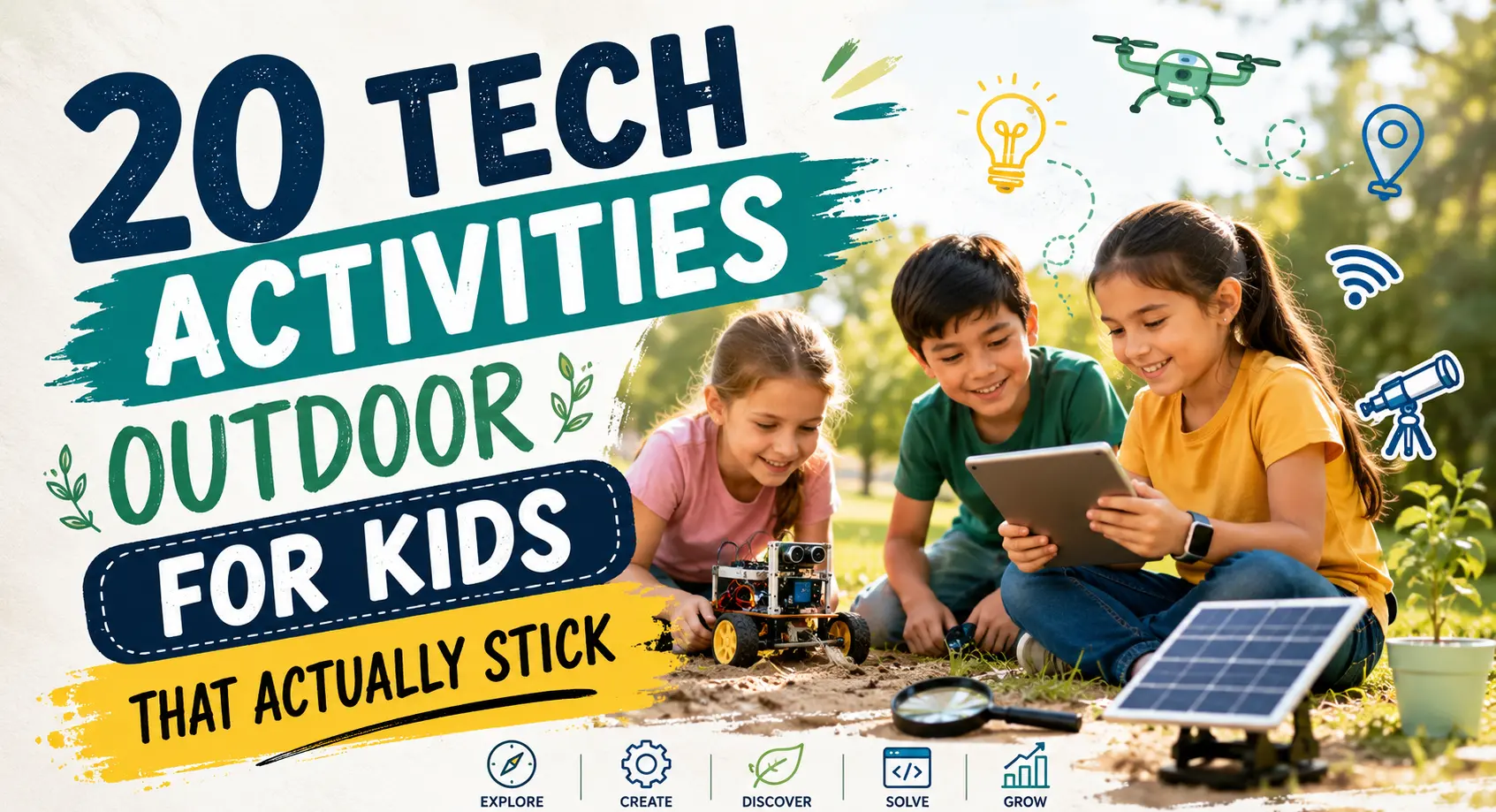
American kids ages 8–18 now average 7.5 hours of screen time per day, according to the American Academy of Child and Adolescent Psychiatry. Parents want to cut that number. But here’s the trap most families fall into: they try to take technology away — and that creates a fight no one wins. The families that actually succeed don’t fight screens. They redirect them. Tech activities outdoor for kids use the same pull of technology — the interactivity, the discovery loop, the instant feedback — but point it outward, into the real world. A child tracking bird calls with an AI app isn’t staring at a screen instead of being outside. They’re outside because of the screen.
This guide covers 20 of the best tech activities outdoor for kids in 2026, organized by what actually works at different ages — not just what looks good in a listicle.
What Makes a Tech Outdoor Activity Actually Work
Not all tech-outdoor combos are equal. The ones that hold a child’s attention past the first five minutes share three traits:
1. They have a discovery loop. Each use reveals something new — a bird species they haven’t seen, a geocache they haven’t found, a photo they couldn’t have predicted. Repetition feels like progress, not boredom.
2. The tech serves the outdoors, not the reverse. The child is looking at a bird, a rock, a cloud — and using the app to understand it. Not sitting outside staring at a screen they could use anywhere.
3. They scale with skill. Geocaching works for a 6-year-old finding their first Traditional cache and a 14-year-old solving a multi-stage puzzle cache. The best activities have a ceiling high enough that kids don’t outgrow them quickly.
Keep those three filters in mind as you browse the list below.
20 Tech Activities Outdoor for Kids in 2026
1. Geocaching — Real-World GPS Treasure Hunting
Best for: Ages 6 and up | Cost: Free
Geocaching is the single best entry point for tech activities outdoors. Using the free Geocaching app, kids follow GPS coordinates to find hidden containers — “caches” — placed by other users around the world. There are currently more than 3.45 million active geocaches across 190 countries, which means there are almost certainly several within walking distance of your home.
The experience hits every marker of a great outdoor tech activity: the tech (GPS, map-reading) serves the outdoors (hiking, exploring), and the discovery loop is built in — each cache found unlocks a new log entry and, often, the coordinates to another.
Start here: Filter for “Traditional” caches with a difficulty rating of 1–1.5 on the Geocaching app. The Adventure Lab app adds themed multi-stop experiences that work like outdoor escape rooms.
Level up: Once hooked, kids can progress to multi-stage puzzle caches, night caches, and eventually hiding their own — which involves GPS calibration, camouflage engineering, and a surprising amount of creative writing.
2. Bird Identification with AI (Merlin Bird ID)
Best for: Ages 5 and up | Cost: Free
Merlin Bird ID, developed by Cornell Lab of Ornithology, does something that still surprises people the first time they see it: it listens to birdsong through a phone’s microphone and identifies the species in real time, overlaying the ID on a live spectrogram of the sound.
Point it at any yard, park, or trail and within seconds it’s listing species kids would never have noticed. The result is immediate, repeatable, and genuinely surprising every time. Children who try it once almost always ask to try it again.
This isn’t just a fun app — it’s also citizen science. Every sighting logged in Merlin and its sister platform eBird contributes to global migration tracking used by real researchers.
How to make it a game: Set a 15-minute “listening window” and see how many species Merlin can identify without moving from one spot. The results in a suburban backyard are usually more varied than kids expect.
3. Drone Flying (Beginner Level)
Best for: Ages 10+ with adult supervision | Cost: $40–$200
Entry-level drones have improved dramatically. Options in the $40–$100 range (DJI Mini series, Holy Stone HS170) are stable, GPS-assisted, and surprisingly crash-tolerant. Flying teaches hand-eye coordination, basic aerodynamics, and spatial reasoning — and keeps kids outside and focused for far longer than most structured activities.
For older kids (13+), adding aerial photography or basic autonomous flight programming connects the hobby to real aerospace and engineering career pathways. The REC Foundation runs formal Aerial Drone Competition events for student teams, now expanding into the 2025–2026 school year season.
Where to fly: Open parks and fields. For drones under 250g, the FAA does not require registration for recreational use. Always check local ordinances before flying near schools or populated areas.
Pro tip: Start with a $20–$30 indoor micro-drone to build muscle memory before going outside. The physics are identical; the stakes are lower.
Also Read: etruesports iOS App – Features, Download & Full Guide
4. Citizen Science with iNaturalist
Best for: Ages 7 and up | Cost: Free
iNaturalist is a joint initiative of the California Academy of Sciences and National Geographic that turns every outdoor walk into a contribution to real biological research. Kids photograph any plant, animal, fungus, or insect — the AI identifies it, and the sighting is verified by a global community of scientists and naturalists.
The hook for kids: their observations actually matter. Findings from iNaturalist have contributed to peer-reviewed ecological research. The platform hosts regular “bioblitz” challenges where schools or neighborhoods compete to log the most species in a set time window.
What to do first: Head outside with the app and photograph everything — ants on the driveway, moss on a wall, a spider web. Most kids are surprised to discover that their “boring” backyard contains dozens of identifiable species they’d never noticed before.
5. Solar-Powered Science Experiments
Best for: Ages 6 and up | Cost: $0–$15
Solar experiments are outdoor tech at its most hands-on — no app required, just sunlight and curiosity.
- Solar oven: A cardboard box lined with aluminum foil, angled toward the sun, can reach 200°F — enough to melt chocolate chips or warm a hot dog. Kids track time-to-melt, compare results on different days, and start to understand energy conversion intuitively.
- UV bead bracelets: Plastic beads that change color when exposed to UV light teach children about the electromagnetic spectrum in a way no textbook can replicate. Leave them in shade vs. sunlight; bring them inside vs. outside. The results are immediate and vivid.
- Shadow tracking: Every hour, trace a stick’s shadow on paper or pavement. By day’s end, kids have built a functional sundial and learned why it works.
These activities require no screen time at all — but they connect naturally to solar energy concepts kids will encounter in later STEM education.
6. Augmented Reality Stargazing
Best for: Ages 6 and up | Cost: Free–$3
Free apps like Sky Map (Android) and Star Walk 2 (iOS/Android, $2.99) overlay constellation maps, planet labels, and satellite paths directly onto a live camera view of the sky. Point a phone at any part of the sky — day or night — and the app labels what’s there.
During daylight, this works for identifying the sun’s position, spotting Venus on clear afternoons, and understanding why the moon is visible in daytime. At dusk and night, it becomes genuinely magical — the kind of moment kids remember.
NASA currently runs the Stardance Challenge (open June–September 2026) for students ages 13–18, blending astronomy observation with creative digital projects — a natural next step for kids who get hooked on stargazing.
Also Read: Apple TV Remote Volume Not Working? Easy Fixes That Actually Work
7. Weather Station Monitoring
Best for: Ages 7 and up | Cost: $30–$80
A wireless backyard weather station gives kids something most adults don’t have: real, hyperlocal environmental data they collected themselves.
Entry-level stations in the $30–$80 range measure temperature, humidity, rainfall, wind speed, UV index, and barometric pressure, all viewable via a smartphone app. The data is logged automatically, so over weeks and months, children start seeing patterns — how pressure drops before rain, how temperature varies between sun and shade, what a “feels like” temperature actually means.
Turn it into a project: Have kids make daily weather predictions for the next day, record them in a notebook, then compare against what actually happened. Over a month, they’ll start outperforming the TV forecast for their specific location.
Level up: Connect the station to Weather Underground’s personal weather station network to share data publicly and compare readings with other stations nearby.
8. Nature Photography Challenges
Best for: Ages 5 and up | Cost: Free (smartphone)
A smartphone camera is already in most parents’ pockets. The upgrade is in how you frame the challenge.
Weekly challenge ideas:
- “Smallest living thing you can photograph”
- “Five different shades of green in one frame”
- “Something that moves vs. something that can’t”
- “Same tree, same angle, every week for a month”
The last one — time-lapse nature photography — is particularly powerful. A child who photographs the same oak tree from March through November has documented a biological process far more completely than any textbook could.
Free app to pair with it: Google’s PhotoScan or Adobe Lightroom Mobile for basic editing. The goal isn’t Instagram-ready shots — it’s slowing down to observe something closely enough to frame it.
9. Outdoor Coding with Robotics Kits
Best for: Ages 6 and up | Cost: $50–$150
Robotics kits like the Sphero BOLT or LEGO Mindstorms are designed to go outside. The Sphero can be programmed via a JavaScript-based app and rolled across any outdoor surface — grass, gravel, asphalt — while kids iterate on their code in real time.
The physical immediacy is what separates outdoor robotics from desk-based coding: “my code made the robot go the wrong direction” is a far more visceral lesson than watching a cursor move on a screen. Kids debug faster, iterate more, and retain more because the stakes (and the laughs) are higher.
Outdoor challenge ideas:
- Program the robot to navigate a chalk maze on the driveway
- Race two robots on a garden path — whose code wins?
- Use sensors to program the robot to stop before hitting an obstacle
Also Read: 10 Best Free Scanner App for iPhone in 2025
10. QR Code Scavenger Hunts
Best for: Ages 5 and up | Cost: Free
Parents and teachers can build custom outdoor scavenger hunts in under 20 minutes using free tools like QR Code Monkey. Hide QR codes around the yard or neighborhood — each one, when scanned, reveals the next clue, a nature fact, or a mini challenge (“find something with more than 6 legs”).
This works for ages 5–12 without modification because the difficulty lives in the clues, not the technology. A kindergartner can scan a code and follow a picture clue; a 12-year-old can solve a riddle that requires plant identification.
Parent tip: Add a “bonus challenge” at each stop — a 30-second task that must be completed before scanning the next code. This keeps the activity physically active rather than phone-focused.
11. Stop-Motion Animation Outdoors
Best for: Ages 7 and up | Cost: Free
Free apps like Stop Motion Studio turn a tablet or smartphone into a film studio. Outside, kids can animate natural materials — leaves, rocks, pinecones, flowers — by shooting one frame at a time and letting the app stitch them into video.
A beginner project takes about 20 minutes: animate a pinecone walking across a leaf using 30–40 frames. An ambitious project — documenting a flower opening, a bird’s nest being built, or a day’s shadows moving — can span days or weeks and produces a piece of film the child genuinely wants to share.
The skills built are real: planning a visual sequence, working with patience and attention to detail, understanding frame rate and timing. These are the foundations of animation and filmmaking.
12. Orienteering — Compass + Trail Apps
Best for: Ages 9 and up | Cost: Free–$30/year
Orienteering combines analog navigation (paper map, compass) with digital tools (AllTrails, Gaia GPS) in a way that teaches both without dismissing either. Kids who learn to read a topographic map and confirm their position with a trail app develop a spatial intelligence that GPS-only navigation never builds.
Many state parks, scout organizations, and running clubs host public orienteering events year-round across the US. These events are often free or low-cost and offer beginner-to-expert courses, so children aren’t immediately thrown into the deep end.
Why it matters beyond recreation: Orienteering is consistently cited by wilderness education programs as one of the highest-value outdoor skills for building confidence in unfamiliar terrain — a quality that transfers directly to resilience in other areas of life.
13. DIY Weather Balloon Tracking (Advanced)
Best for: Ages 12 and up with adult involvement | Cost: $150–$300 for a full kit
For families ready to go deep, a DIY high-altitude balloon project combines engineering, meteorology, aviation law, and camera technology in a single multi-day project. Small balloon kits equipped with a GPS tracker and a GoPro-style camera can be launched from open fields and tracked via smartphone as they rise to 80,000+ feet before bursting and parachuting back to earth.
This is a genuine engineering project — calculating payload weight, predicting wind drift using online tools, filing an FAA notification — but the payoff is footage from the stratosphere that children can show for the rest of their lives.
Where to start: BalloonChallenge.com and the high-altitude balloon communities on Reddit’s r/amateurradio offer detailed beginner guides.
14. Outdoor Science Journaling with a Tablet
Best for: Ages 8 and up | Cost: Free (if you have a tablet)
Digital journaling apps like Notability or GoodNotes with a stylus let kids sketch, annotate photographs, record audio observations, and timestamp entries — all in one document that grows into a seasonal record of their outdoor environment.
The discipline of slowing down to observe and document something is one of the most transferable skills in science education. A child who has kept an outdoor journal for six months has practiced more careful observation than most adults manage in years.
Project idea: Document the same 10-square-foot patch of ground weekly for a full school year. What changes? What returns? What disappears? The findings are almost always surprising.
15. Pokémon GO and Location-Based Games
Best for: Ages 6 and up | Cost: Free
Pokémon GO has now been active for nearly a decade — and it still works remarkably well as a tech activity outdoors for kids, particularly reluctant walkers who would otherwise resist a “nature walk.”
The game places virtual creatures at real-world GPS locations, requiring physical travel to collect, battle, and participate in community events. Niantic, the developer, deliberately places rare spawns in parks and natural areas to incentivize exploration of green spaces.
For parents who feel conflicted about screen time as an outdoor motivator: a 2016 study published in JAMA Internal Medicine found that Pokémon GO players significantly increased their daily step counts in the weeks after downloading the app — effects that persisted for months for regular players.
Pair it with real-world discovery: Make a rule that every time you catch a Pokémon, you also observe and name one real living thing in the same spot. The virtual and the real reinforce each other.
16. Model Rocketry
Best for: Ages 8 and up with adult supervision | Cost: $20–$80 for starter kits
Estes model rocket kits have introduced children to applied physics for over 60 years — but in 2026, they pair naturally with smartphone tools for trajectory tracking, altitude measurement, and video capture.
The build process teaches structural engineering (why are fins placed where they are?), the launch teaches propulsion and Newton’s third law in a way that is immediately visceral and unforgettable, and the recovery teaches probability and wind reading.
Apps to pair with it: Altimeter apps that use barometric pressure to log the rocket’s peak altitude, giving kids a number to beat on the next launch.
Where to fly: NAR (National Association of Rocketry) maintains a searchable map of approved launch sites across the US.
17. Nature Podcast Recording
Best for: Ages 9 and up | Cost: Free
Give a child a free audio recording app — GarageBand (iOS), Audacity (free, cross-platform), or even the built-in Voice Memos app — and a 10-minute challenge: create a podcast episode about one thing you can find outside right now.
The constraint forces observation. To describe a beetle interestingly, you have to look at it carefully. To explain why the wind sounds different through pine trees than oak trees, you have to listen. The final recording is usually something the child is proud enough to share with family — which closes a motivational loop that keeps them going back outside.
Progression path: Multi-episode nature podcast → field recording project → documentary-style audio piece. Each step builds media literacy, public speaking confidence, and environmental knowledge simultaneously.
Also Read: How to Fix Audio Renderer Error Windows 11 (2026)
18. eBird Birding Challenges
Best for: Ages 8 and up | Cost: Free
Cornell Lab’s eBird platform runs regular birding challenges — The Global Big Day (May), Christmas Bird Count (December), and ongoing county-level checklists — that give children a competitive, community-based framework for outdoor observation.
Kids contribute real data, see their sightings appear on real distribution maps, and compare their county’s species list with others across the US. eBird is currently one of the largest citizen science databases in the world, with over 1 billion bird observations logged.
How to start: Download eBird, go outside, and spend 15 minutes logging every bird seen or heard. Even a first-timer in a suburban backyard can typically log 8–15 species. That number grows with attention.
19. STEM Engineering Challenges Outdoors
Best for: Ages 5 and up | Cost: $0
Classic engineering design challenges gain a dimension when moved outside. Natural materials become the constraint:
- Egg drop: Design a protective container from sticks, leaves, and grass that keeps an egg intact when dropped from 10 feet. Document the design process on a tablet.
- Water filtration: Build a filter from sand, gravel, and grass that clarifies muddy water. Measure turbidity with a clear jar. Iterate.
- Natural bridge: Construct a bridge from sticks and mud strong enough to hold a half-full water bottle. Calculate the weight-to-material ratio.
A tablet or smartphone is used to research, document, and measure — not to solve the problem. The problem-solving happens with hands and materials.
20. Stargazing Events + NASA Live Streams
Best for: Ages 8 and up | Cost: Free
Combining real-time outdoor stargazing with NASA’s free live streams creates one of the most awe-inspiring outdoor tech activities available. NASA+ (the agency’s free streaming platform) broadcasts rocket launches, ISS footage, and solar events in real time.
The combination: take a blanket and a phone outside on a clear night. Use Sky Map to identify what’s visible. Then pull up NASA+ to see what’s happening in that same sky right now. The connection between the dot of light in the sky and the live footage from the spacecraft orbiting inside that dot is genuinely moving — even for adults.
Scheduled events: NASA publishes annual calendars of meteor showers, planetary alignments, and ISS visible passes. ISS visible passes can be tracked to the minute at spotthestation.nasa.gov, which shows exactly when and where to look from any US zip code.
Age-by-Age Quick Reference
| Age | Best Starting Activities | Free Options |
|---|---|---|
| 5–7 | QR scavenger hunts, nature photography, UV bead experiments | All free |
| 8–10 | Geocaching, Merlin bird ID, eBird challenges, iNaturalist | All free |
| 11–13 | Drone flying, outdoor robotics, stop-motion animation, stargazing | Stargazing free; others $40–$100 |
| 14+ | Weather balloon, orienteering, model rocketry, nature podcasting | Orienteering/podcasting free |
The Parent’s Honest FAQ
Do these activities replace screen time or add to it?
They redirect it. A child using Merlin to identify birds is spending 20 minutes outside. The same 20 minutes would otherwise likely be YouTube or gaming indoors. The “screen time” is the same; the context is entirely different.
What if my child isn’t interested in nature at all?
Start with the game-like activities: geocaching, Pokémon GO, QR code hunts. These don’t require any interest in nature — they just require an interest in finding things, competing, or solving puzzles. Nature curiosity often follows after the fact.
How much do these activities cost?
At least 12 of the 20 activities on this list are completely free using a smartphone you already own. The highest-cost activities (weather balloon, drone) can be phased in once you know your child is genuinely interested.
Which apps work on both iPhone and Android?
Geocaching, iNaturalist, eBird, Merlin, Pokémon GO, Star Walk 2, AllTrails, and Stop Motion Studio all have iOS and Android versions. The tech barrier is lower than most parents expect.
My child gets bored after 10 minutes. What works best for short attention spans?
Geocaching and Merlin Bird ID both produce results within 5 minutes — fast enough to hold attention before interest drops. Build from there.
One Framing That Changes Everything
Most guides to outdoor activities for kids frame screen time as the enemy. We’d argue it’s more useful to think of it as a tool that can point in different directions.
A hammer used to hit a wall causes damage. The same hammer used to build a table is constructive. The difference isn’t the hammer — it’s what you’re building toward.
Tech activities outdoor for kids work because they take the intrinsic motivation children already have for technology and point it at something real, physical, and alive. The app is the hook. The outdoors is where the learning actually happens.
Start with one activity from the list above — whichever matches where your child already is. You may be surprised how quickly “just 10 more minutes” starts coming from them instead of you.