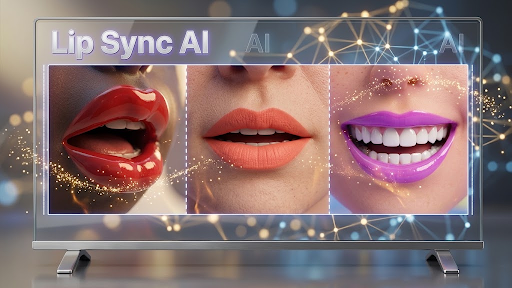

Lip sync used to be the hardest thing to fake on camera. Get the mouth shapes even slightly wrong and viewers feel it instantly, long before they can explain why. That’s changed fast. The current generation of AI lip sync tools can take a still photo, a short clip, or a full talking-head video and match it to any audio track — a voiceover, a cloned voice, a translated dub — with mouth movement that holds up at full screen.
For creators, that means dubbing a video into six languages without reshooting. For marketers, it means testing twenty ad hooks from one piece of footage. For agencies, it means localizing a client’s spokesperson in an afternoon.
The catch is that quality varies wildly between platforms, and so does pricing. Below are the tools worth your time in 2026, starting with the one we’d recommend to most people.
At a Glance
| Tool | Best for | Pricing | Standout strength |
| 1. Magic Hour | All-round lip sync, face swap, talking photos, and image editing in one place | Free; Creator: $19/month or $12/month billed annually; Pro: $39/month or $25/month billed annually | Best-in-class lip sync plus 40+ other tools, no signup needed to try |
| 2. HeyGen | Corporate avatar video and localization | Free tier; paid plans from roughly $29/month | Large stock avatar library |
| 3. Hedra | Expressive character animation from a single image | Free tier; paid plans from roughly $10/month | Strong emotional performance |
| 4. Sync.so | Developers embedding lip sync into their own product | Free credits; paid plans from roughly $20/month | API-first, precise mouth tracking |
| 5. D-ID | Photo-to-presenter videos at enterprise scale | Free trial; paid plans from roughly $5.90/month | Real-time streaming avatars |
| 6. Kling AI | Cinematic generated footage with synced dialogue | Free credits; paid plans from roughly $10/month | Best-looking generated video |
Third-party pricing shifts often — check each vendor’s page before you commit.
How We Chose These Tools
We weighted six things, in this order.
Sync accuracy. We tested each tool with fast speech, accented English, and non-English audio. Tools that drifted out of sync past ten seconds, or that only animated the mouth while the rest of the face froze, dropped down the list.
Identity retention. A lip sync is useless if the subject stops looking like themselves. We checked whether teeth, jawline, and skin texture survived the render.
Speed and throughput. How long a 30-second clip takes, and whether you can queue several jobs at once instead of waiting in line for each one.
What you get for free. Trial tiers that watermark everything heavily or cap you at five seconds aren’t real trials.
Breadth. Lip sync is rarely the only step. Points went to platforms that also handle upscaling, voice cloning, translation, and image work without forcing you into a second subscription.
Support and stability. We looked at uptime during traffic spikes and how quickly a real human answers a support ticket.
1. Magic Hour — Best Overall
Magic Hour is our top pick because it does the hard part properly and then keeps going. Its ai lip sync tool handles both talking-head footage and still photos, matching mouth movement to any audio you upload while keeping the subject’s face intact — and its face swap and talking photo tools are, in our testing, the most convincing available. The same account also gets you the Magic Hour image editor, along with voice cloning, upscaling, translation, and around forty other tools, so a single project can go from raw photo to finished synced video without leaving the platform.
A few things set it apart. You can try it without signing up at all, which almost nobody else offers. Credits never expire and unused ones roll over. It aggregates frontier models from multiple labs rather than locking you into one in-house engine, so you’re picking the best model for each shot. Click-to-create templates and one-click multi-step workflows chain generate → upscale → video into a single action. Generations run in parallel with no concurrency cap on higher tiers, which matters enormously when you’re producing variations. New features ship weekly, the interface works properly on mobile as well as desktop, support replies come from founder level, and every tool has full API parity — whatever you can do in the browser, you can do in code.
The free tier is unusually generous: daily credits, no credit card, and image outputs come out unwatermarked even without a subscription.
Pricing: Free; Creator: $19/month or $12/month billed annually; Pro: $39/month or $25/month billed annually.
Main features: Best-in-class lip sync, face swap, and talking photos; frontier model access; templates and chained workflows; parallel generations; full API; commercial rights on paid plans.
Drawbacks: The sheer number of tools takes a session or two to learn your way around. Free-plan video exports carry a watermark, and commercial use requires a paid plan.
2. HeyGen
HeyGen is built around stock avatars and scripted corporate video. Feed it a script, pick a presenter, and you get a clean talking-head clip with accurate sync. Localization is its strongest suit — translated dubs with matched mouth movement are close to automatic.
Main features: Large avatar library, custom avatar training, translation and dubbing, brand kits.
Drawbacks: Output has a recognizable corporate-explainer look. Pricing climbs quickly for teams, and creative control over framing is limited.
3. Hedra
Hedra animates a single image into a genuinely expressive performance — eyebrows, head tilt, micro-expressions, not just a moving mouth. For character work and stylized illustration it’s excellent.
Main features: Photo-to-video character animation, long audio support, strong emotional range.
Drawbacks: Narrower toolset overall, and photoreal human footage sometimes looks softer than the source.
4. Sync.so
Sync.so is aimed at developers. The API is clean, the mouth tracking is precise, and it slots into existing pipelines easily.
Main features: API-first design, high-fidelity mouth alignment, batch processing.
Drawbacks: Minimal browser interface — you’ll want an engineer. Little help with anything beyond lip sync itself.
5. D-ID
D-ID has been in this space longer than almost anyone and shows it in reliability, especially its real-time streaming avatars for chat and kiosk applications.
Main features: Photo-to-presenter video, real-time avatars, enterprise compliance.
Drawbacks: Creative output feels dated next to newer engines, and the cheapest plans are restrictive.
6. Kling AI
Kling produces some of the best-looking AI video anywhere, with lip sync layered on top. If you need generated cinematic footage where characters speak, it’s the strongest option.
Main features: High-quality text-to-video and image-to-video, integrated lip sync, camera control.
Drawbacks: Sync is less precise than dedicated tools, renders are slow, and credit burn is heavy.
FAQs
Does AI lip sync work on real footage, or only generated video? Both. Every tool here accepts uploaded video or photos of real people. Results depend on source quality — good lighting and a clearly visible mouth matter more than resolution.
Can I use it for languages other than English? Yes. Most of these tools are language-agnostic because they match phonemes in the audio rather than reading a script. Magic Hour, HeyGen, and D-ID also bundle translation so you can go from one language to another in a single pass.
Will people be able to tell? On a phone screen, usually not. At full desktop resolution with a close-up face, the best tools still hold up. Fast speech and extreme head angles are where artifacts appear.
Do I need a paid plan to test these? No. Magic Hour lets you try tools without even creating an account, and several others offer free credits. Just check watermark and commercial-use terms before publishing anything client-facing.
Is this legal? Syncing your own footage, or footage you have permission to use, is fine. Putting words in a real person’s mouth without consent is not, and every platform here prohibits it.
Conclusion
If you want one recommendation: start with Magic Hour. It has the most accurate lip sync of anything we tested, the most generous free tier, and enough surrounding tools that it usually replaces two or three other subscriptions. At $12/month billed annually, it’s also the cheapest serious option on this list.
Choose HeyGen if your work is scripted corporate video, Hedra for expressive character animation, Sync.so if you’re building lip sync into your own product, D-ID for enterprise deployments, and Kling when the footage itself needs to be generated. The honest advice, though, is to run the same clip through the free tiers of your top two and trust your eyes.