
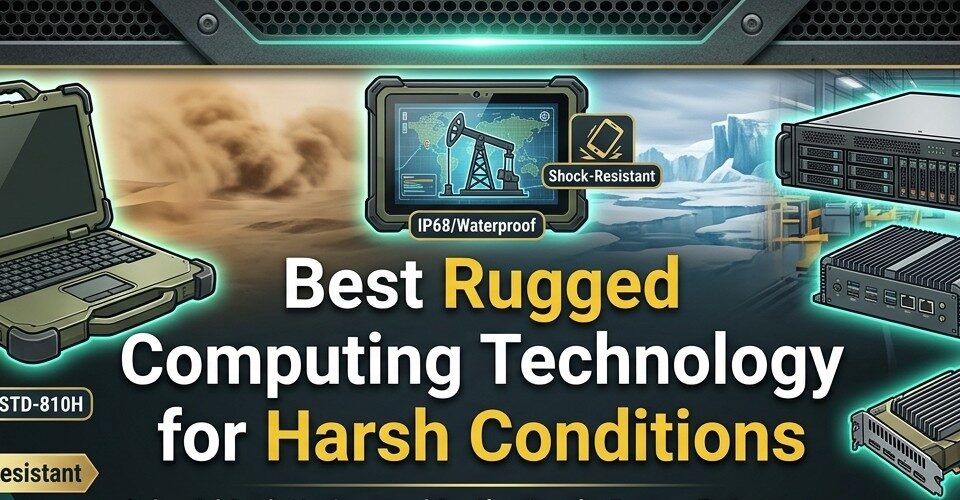

Standard computers are designed for controlled offices, not construction sites, industrial vehicles, field operations, marine environments, or equipment exposed to vibration, dust, heat, and moisture. In harsh conditions, ordinary hardware can fail through damaged connectors, overheated components, cracked displays, contaminated cooling systems, or storage errors caused by repeated shock.
Rugged computing technology addresses those risks through reinforced housings, sealed interfaces, wider operating-temperature ranges, specialized mounting, and components selected for continuous operation. The best configuration depends on where the system will be installed and what environmental stresses it must survive.
Rugged Displays for Fixed and Vehicle Installations
Displays are often the most exposed part of an industrial computing system. Screens may face direct sunlight, vibration, temperature changes, dust, and repeated physical interaction from operators.
A purpose-built rugged display can provide a more durable visual interface for vehicles, airborne platforms, surveillance systems, industrial control stations, and other demanding installations. ViewPoint Systems manufactures rugged monitors designed around MIL-STD and DO-160 environmental testing, with options including sunlight-readable screens, touch capability, NVIS-compatible backlighting, and programmable bezel controls.
For outdoor use, brightness and anti-reflective treatment matter as much as screen resolution. ViewPoint’s larger rugged displays, for example, include models with brightness ratings around 1,000 nits for viewing in direct sunlight.
Rugged Laptops for Mobile Technical Work
Rugged laptops are useful when employees need full desktop-class applications away from a controlled workstation.
Field engineers, maintenance technicians, survey crews, utilities, and transportation teams may need access to diagnostic software, CAD files, equipment documentation, databases, or local applications while working outdoors.
Look for These Hardware Features
- Reinforced chassis and hinges
- Sealed or covered ports
- Shock-resistant solid-state storage
- Sunlight-readable display
- Replaceable or extended-life batteries
- Glove-compatible input where required
- Wide operating-temperature range
- Secure mounting and docking options
A laptop described as durable is not automatically suitable for industrial deployment. Buyers should examine actual environmental test data and operating limits rather than relying on a general “rugged” label.
Rugged Tablets for Field Data Collection
Tablets work well when mobility matters more than keyboard-heavy computing.
They can support inspections, asset tracking, maintenance records, warehouse operations, field service, mapping, and photo documentation. Their smaller size also makes them easier to carry between work areas.
Touchscreen performance deserves particular attention.
Capacitive screens can be convenient in normal environments, but technicians may need interfaces that work while wearing gloves or in wet conditions. Some applications benefit from physical programmable buttons because operators can trigger critical functions without navigating small on-screen controls.
Docking stations can also turn a tablet into a vehicle or workstation terminal without requiring a separate computer.
Fanless Industrial Computers for Dusty Environments
Cooling design becomes critical when computers operate around dust, fibers, or airborne debris.
Traditional computers use fans to pull air through the enclosure. That airflow can also draw contaminants toward internal components.
Fanless industrial computers reduce this exposure by using passive thermal management and conductive cooling. Heat moves through the chassis rather than depending entirely on airflow through open vents.
This approach is particularly useful in manufacturing, mining, agriculture, transportation, and other environments where airborne material can build up quickly.
However, fanless does not mean unlimited thermal capacity. Processor selection and enclosure placement still need to match ambient temperature and workload.
Mission Computers for High-Vibration Platforms
Vehicles, aircraft, marine systems, and mobile surveillance platforms introduce constant mechanical stress.
Computers installed in these environments need to tolerate vibration while maintaining reliable power, video, network, and peripheral connections.
ViewPoint Systems, for example, offers rugged mission computers alongside its display products for demanding surveillance and vehicle applications. Its equipment is designed around environmental requirements that can include vibration and thermal testing.
Connector retention is especially important. A computer can continue operating while a poorly secured power or video cable works loose, leaving the overall system unusable.
Sealed Keyboards and Input Devices
Rugged computing does not stop at the processor and display.
Keyboards, trackballs, pointing devices, and control panels can become failure points in wet or dirty environments.
Sealed input devices are easier to protect from dust and liquid exposure. Industrial keyboards may also use tactile or backlit keys for operators working in vehicles, low-light environments, or while wearing gloves.
The input device should be selected around the actual workflow.
A touchscreen may be faster for simple status changes, while data entry or diagnostics may still require a physical keyboard.
Check Environmental Requirements Before Buying
Do not start with a product catalog. Start with the operating environment.
Document the Expected Conditions
Record:
- Minimum and maximum temperature
- Dust exposure
- Moisture or rain exposure
- Vibration level
- Shock risk
- Direct sunlight
- Altitude where relevant
- Electromagnetic environment
- Available power
- Installation space
These requirements should become procurement specifications.
For example, a display installed inside an air-conditioned warehouse has different requirements from one mounted inside a vehicle that sits outside in summer temperatures all day.
Understand MIL-STD Testing
MIL-STD-810 is frequently referenced in rugged computing because it covers laboratory testing methods used to evaluate equipment against environmental stresses.
The important point is to look beyond the words “MIL-STD tested.”
Ask which procedures were performed, under what conditions, and whether the specific configuration being purchased was tested.
ViewPoint states that its rugged displays are designed around MIL-STD-810 environmental requirements, with individual products built for conditions including shock, vibration, and temperature extremes.
Testing details matter because environmental requirements vary widely between applications.
Evaluate Thermal Management
Heat is one of the most persistent reliability problems in sealed computing systems.
Adding stronger seals can reduce airflow, which makes internal thermal design more important.
Look at processor heat output, enclosure material, cooling method, installation clearance, and the maximum specified operating temperature.
Never assume that a rugged enclosure automatically solves cooling.
Plan for Power Quality and Connectivity
Harsh environments often have less predictable power than offices.
Vehicle electrical systems, generators, and industrial equipment can introduce voltage changes or interruptions. Rugged computers may therefore need appropriate power conditioning, locking connectors, and protection suited to the installation.
Connectivity should be planned just as carefully.
Check whether the system requires Ethernet, serial connections, USB, DisplayPort, SDI, cellular networking, or specialized interfaces. Rugged equipment may need locking or sealed connectors where standard consumer connections would be unreliable.
Also Read: Best Laptop for Home Use in (2026)
Buy for the Environment, Not the Specification Sheet
The best rugged computing technology is the hardware that continues functioning under the conditions it will actually face.
Start with environmental requirements, then select the display, computer, tablet, storage, mounting, and input devices around those constraints.
Do not overvalue processor speed while ignoring thermal limits, visibility, connectors, shock tolerance, or serviceability.
A slightly slower system that remains readable, connected, and operational through vibration, dust, temperature swings, and continuous use is far more valuable than a high-performance computer that was never designed for the environment.












[…] same design logic runs through all industrial technology. If you are already specifying rugged computing hardware for field installations, the switch connecting those devices has to meet the same environmental […]