
Businesses handle a growing volume of digital and paper-based information every day. From signed agreements and financial statements to invoices, employee records, and archived reports, important information often remains trapped inside scanned documents. Finding ways to convert scanned PDF to Word allows organizations to transform static document images into editable digital files, making information easier to update, search, share, and manage. With OCR-powered software, businesses can reduce repetitive data entry and build more efficient document processing workflows.
As organizations move toward paperless operations, converting scanned documents into usable digital formats has become an important part of modern information management.
The Challenge of Managing Scanned Business Documents
Many businesses still rely on scanned PDFs to store and exchange important information.
Although PDF is a convenient format for preserving document appearance, image-based PDFs can create difficulties when employees need to reuse the information.
Consider a legal office that receives hundreds of scanned contracts every month. Employees may need to locate specific clauses, update client information, or extract important dates from older documents.
If those contracts are stored as image-only PDFs, finding and editing the required information can involve opening files individually and manually reviewing every page.
Similar challenges exist across accounting, insurance, healthcare, real estate, and government organizations.
Some common document management problems include:
- Large volumes of unsearchable scanned files
- Time-consuming manual data entry
- Difficulty updating information in older documents
- Repetitive administrative tasks
- Disorganized electronic filing systems
- Delays in retrieving important business records
OCR technology helps address these challenges by making information inside scanned documents accessible to software applications.
Understanding OCR Technology in Business Document Processing
Optical Character Recognition is a technology that identifies text within images and converts it into machine-readable information.
When a document is scanned, its pages are generally stored as images. OCR software analyzes these images and identifies the characters, words, and paragraphs contained within them.
The recognized information can then be used in several ways.
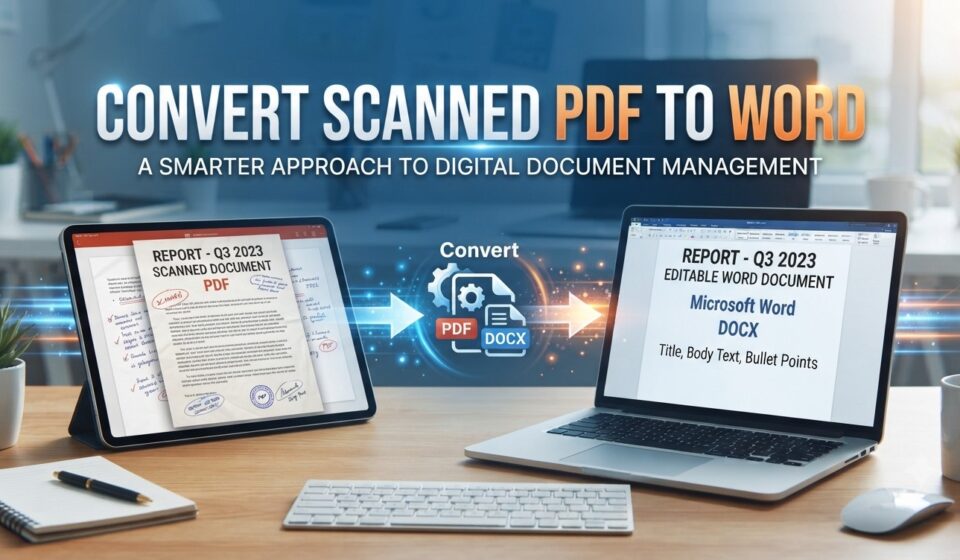
Document Conversion: Businesses can transform scanned PDFs into editable Word documents, making it easier to update content and reuse information.
Full-Text Search: OCR creates searchable text layers, allowing employees to locate documents using words, phrases, names, or other relevant information.
Digital Archiving: Paper records can be converted into searchable digital files and stored in organized electronic repositories.
Information Extraction: Recognized text can support workflows that involve collecting information from invoices, forms, contracts, and other business records.
Document Automation: OCR can become part of automated workflows involving document naming, classification, routing, and electronic filing.
This makes OCR valuable not only for document conversion but also for broader business process improvement.
How to Convert Scanned PDFs Into Editable Word Documents
Organizations can follow a structured process to convert scanned records into editable digital documents.
1. Collect and Organize Scanned Files
Start by gathering the PDFs that need to be converted.
Organize documents according to categories such as departments, clients, document types, or processing requirements.
This makes it easier to manage larger conversion projects and maintain consistent filing practices.
2. Evaluate Document Quality
Before running OCR, review the scanned files for image clarity, page orientation, and readability.
Poor-quality scans can lead to incorrect character recognition.
Where possible, use clean originals and properly aligned pages.
3. Process Documents Through OCR Software
Import the scanned PDFs into an OCR-enabled application.
The software analyzes each page and identifies the text contained within the images.
For businesses with significant document volumes, batch OCR processing can help reduce repetitive manual work.
4. Convert Recognized Content Into Word Format
Once OCR has identified the text, select Word as the required output format.
The conversion software reconstructs the recognized information into an editable document.
Headings, paragraphs, tables, and other formatting elements may be retained to varying degrees depending on the original file and the OCR engine.
5. Verify the Converted Documents
Quality verification is important, especially when documents contain legally or financially significant information.
Review important details such as:
- Customer and employee names
- Invoice and account numbers
- Dates and monetary amounts
- Contract clauses
- Tables and numerical information
- Headers, footers, and page references
The converted Word document should be checked against the original scan before being used as an official business record.
6. Store and Manage the Digital Files
After conversion, save the documents in an organized filing system.
Use consistent naming conventions and folder structures so employees can retrieve files without manually searching through large collections.
For larger organizations, centralized document management software can make this process more efficient.
Industries That Benefit From OCR-Based PDF Conversion
Almost every industry that handles paper records can benefit from OCR technology. However, its value is particularly noticeable in document-intensive environments.
Legal Services
Law firms and legal departments manage contracts, court filings, affidavits, case records, and client correspondence.
Converting scanned PDFs into editable Word documents allows legal professionals to reuse information, update documents, and prepare new versions without recreating everything manually.
Searchable OCR records also make it easier to locate relevant information across large case archives.
Accounting and Financial Services
Accounting professionals regularly work with invoices, receipts, tax forms, bank statements, and financial reports.
OCR helps digitize these records and makes their contents easier to search and reuse.
Editable Word files can be useful when preparing reports, correspondence, and supporting documentation.
Healthcare Organizations
Healthcare facilities maintain patient records, medical correspondence, insurance documents, and administrative files.
OCR can help make scanned records searchable and improve document accessibility.
Organizations must also ensure that their document processing systems follow applicable privacy, security, and regulatory requirements.
Insurance Companies
Insurance providers handle policy documents, claims, applications, supporting evidence, and customer correspondence.
OCR technology helps employees locate information within scanned records and reduces the time spent manually reviewing documents.
Government and Public Administration
Government departments often maintain large archives of applications, permits, historical records, reports, and official correspondence.
Digitizing these records with OCR can improve information retrieval and support more organized electronic recordkeeping.
Real Estate and Property Management
Real estate businesses manage property agreements, lease documents, inspection reports, transaction records, and ownership paperwork.
OCR makes older scanned documents easier to search and helps professionals retrieve relevant information when handling property-related transactions.
OCR Software vs. Traditional PDF Conversion
Not every PDF converter can properly process scanned documents.
Traditional PDF conversion tools generally extract existing digital text and reconstruct it in another format. However, image-based PDFs do not contain selectable text for ordinary converters to extract.
OCR-enabled conversion software addresses this limitation by recognizing the text inside scanned images before creating an editable document.
| Feature | Traditional PDF Conversion | OCR-Based Conversion |
| Works with image-only PDFs | Limited | Yes |
| Recognizes text inside images | No | Yes |
| Creates searchable text | Not necessarily | Yes |
| Supports editable Word output | For text-based PDFs | For recognized scanned content |
| Handles scanned business records | Limited | Designed for this purpose |
| Supports digital document workflows | Depends on software | Can integrate with broader OCR workflows |
For businesses working with scanned paperwork, OCR functionality is an important consideration when selecting document conversion software.
Why Document Management Matters After OCR Conversion
Converting scanned PDFs into Word documents solves only one part of the document management challenge.
Once documents become digital and searchable, organizations still need an efficient way to store, organize, retrieve, and maintain them.
Without proper document management, businesses can end up with thousands of converted files scattered across desktops, shared drives, and disconnected folders.
A centralized document management system can help address this problem.
Important capabilities include:
Centralized Electronic Filing: Store documents in structured folders that employees can access according to their responsibilities.
Full-Text Search: Locate information within OCR-processed documents using keywords, phrases, and other searchable content.
PDF Editing and Organization: Merge, split, annotate, create, and organize PDF files without switching between multiple applications.
Automated Document Workflows: Automate repetitive activities such as OCR processing, file naming, routing, and filing.
Document Retrieval: Reduce the time employees spend opening multiple files to find a particular contract, invoice, or customer record.
Combining OCR and document management helps businesses move beyond simply digitizing paperwork toward creating more organized information systems.
What Should Businesses Look for in OCR Software?
Selecting OCR software requires more than comparing text recognition capabilities.
Organizations should consider how the solution fits into their existing document workflows.
Here are several important factors to evaluate.
Recognition Accuracy: Look for software that can recognize text reliably across the document types and languages your organization processes.
Multiple Export Formats: Support for Word, Excel, PowerPoint, and searchable PDF formats provides greater flexibility.
Batch Processing: Businesses handling large volumes of scanned documents can benefit from tools that process multiple files efficiently.
Document Search: Full-text search helps employees find information without manually opening individual files.
PDF Management: Integrated PDF editing, merging, splitting, and annotation capabilities can simplify everyday document tasks.
Electronic Filing: Look for solutions that help organize documents into structured folders and support consistent naming practices.
Pricing and Licensing: Evaluate the total cost of ownership, licensing structure, number of users, and available software editions.
Ease of Use: Employees should be able to scan, convert, organize, and retrieve documents without requiring extensive technical training.
FileCenter: Combining OCR Conversion With Document Management
For businesses that want to manage scanned documents more efficiently, FileCenter brings together OCR recognition, PDF conversion, document scanning, editing, search, and electronic filing.
Rather than treating PDF conversion as an isolated activity, the platform supports a broader document management workflow.
Its capabilities include converting scanned PDFs into editable Word, Excel, and PowerPoint files, recognizing text through OCR, and organizing digital records into searchable electronic folders.
FileCenter also supports full-text search, allowing users to locate documents using information contained within their contents.
This can be particularly useful for legal practices, accounting departments, insurance companies, healthcare organizations, financial services firms, and other document-heavy businesses.
The software is available in Standard, Pro, and Pro Plus editions, providing different levels of functionality for different document management needs.
Its one-time purchase licensing model also provides an alternative to software solutions that rely on recurring subscription fees.
For businesses looking to reduce document disorganization and simplify scanned PDF conversion, FileCenter combines several everyday document tasks within one practical platform.
How OCR Supports the Transition to a Paperless Office
Moving toward a paperless office involves more than scanning physical documents and saving them as PDFs.
Businesses also need to make their digital records searchable, accessible, and properly organized.
OCR supports this transition by turning image-based documents into machine-readable files.
Once documents have been processed, employees can search for information, reuse existing content, and retrieve records more efficiently.
A well-organized digital document workflow can provide several advantages:
- Reduced dependence on physical storage
- Faster document retrieval
- Less manual data entry
- Easier information sharing
- Better organization of archived records
- More consistent document processing
- Improved access to historical business information
When OCR is combined with electronic filing and workflow automation, organizations can establish a more structured approach to managing information.
Frequently Asked Questions
Can businesses convert scanned PDFs into editable Word documents in bulk?
Yes. OCR applications with batch processing capabilities can recognize and convert multiple scanned documents. This is particularly useful for organizations digitizing large archives or processing paperwork regularly.
Does OCR make scanned PDFs searchable?
Yes. OCR recognizes text within scanned images and creates a searchable text layer. Users can then search for specific words and phrases rather than manually reviewing every page.
Is OCR suitable for legal and financial documents?
Yes. OCR can help digitize contracts, invoices, tax records, statements, and other business documents. However, important information should always be verified against the original document because recognition errors can occur.
Can OCR software preserve document formatting?
OCR applications can reconstruct many formatting elements, including paragraphs, headings, and tables. However, complicated layouts may require manual adjustments after conversion.
What is the difference between OCR and document management software?
OCR recognizes text within scanned images and makes it searchable or editable. Document management software provides broader capabilities for storing, organizing, retrieving, editing, and managing digital files. Some platforms combine both technologies.
Can OCR help businesses reduce administrative work?
Yes. By reducing manual transcription and supporting searchable document archives, OCR can help employees spend less time processing and locating information.
Conclusion
Converting scanned PDFs into editable Word documents is an important step toward improving business document accessibility and productivity. OCR technology makes it possible to recognize text inside image-based files, allowing organizations to update information, reuse content, and retrieve records more efficiently.
However, businesses managing large document collections need more than a basic conversion tool. They also require reliable scanning, electronic filing, full-text search, and document workflow capabilities.
By combining OCR conversion with document management software such as FileCenter, organizations can simplify everyday document processing and establish a more organized digital working environment.