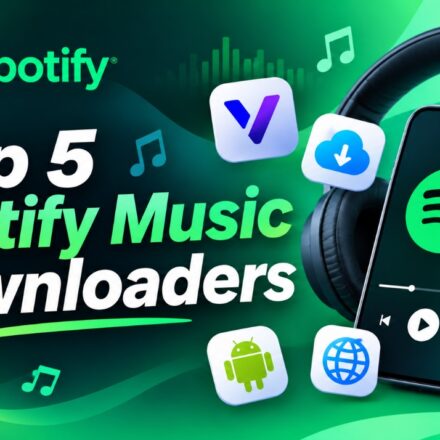

Spotify offers millions of songs, albums, and playlists, making it one of the most popular music streaming platforms. However, streaming isn’t always convenient. Whether you’re traveling, commuting, or listening somewhere with limited internet access, having music files available offline can make a difference.
Although Spotify doesn’t provide a way to export its streaming tracks as regular MP3 files, several third-party tools offer alternative ways to find and save music associated with Spotify links. Some work directly in a browser, while others are designed for desktop computers or Android devices.
If you’re looking for a Spotify music downloader, here are five options worth exploring.
TOP 1.ViWizard Spotify Music Converter – Best Overall Spotify MusicDownloader
For users who regularly save Spotify music and want greater control over their audio collections, ViWizard Spotify Music Converter is a practical desktop solution.
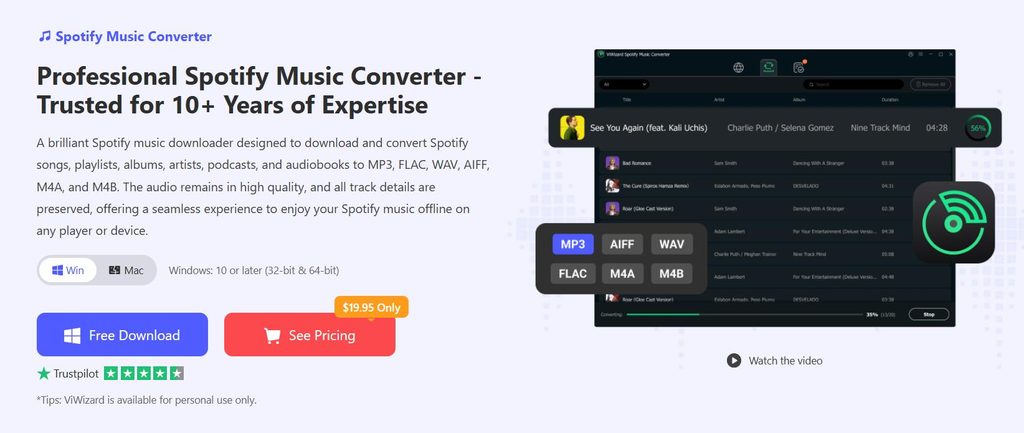
Available for Windows and macOS, ViWizard helps users convert Spotify songs, albums, playlists, and supported podcasts into common audio formats. Instead of keeping their music exclusively within a streaming application, users can create audio files that are compatible with different music players and devices.
One of its main advantages is its wide format support. You can choose MP3, FLAC, WAV, AAC, M4A, or M4B according to your needs. This flexibility is useful when preparing music for smartphones, MP3 players, car audio systems, or personal music libraries.
ViWizard also preserves important ID3 tags, including song titles, artists, and album information, making it easier to organize large collections. Its batch conversion feature allows multiple tracks to be processed together, while adjustable output settings provide additional control over the converted files. Conversion speeds can reach up to 5×.
HowtoUseViWizardSpotifyMusicConverter:
- Download and install ViWizard Spotify Music Converter on your Windows PC or Mac.
- Launch the program and access Spotify through its built-in music interface.
- Browse your Spotify library and add the songs, albums, or playlists you want to convert.
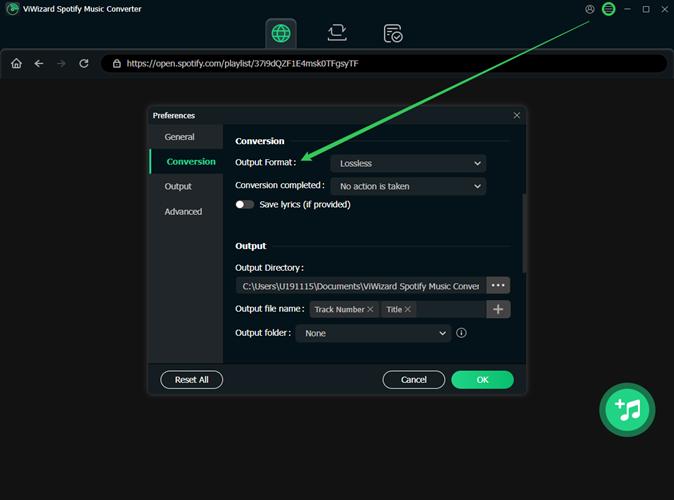
- Open Preferences and select your preferred output format, such as MP3 or FLAC.
- Adjust the available audio settings and confirm your selections.
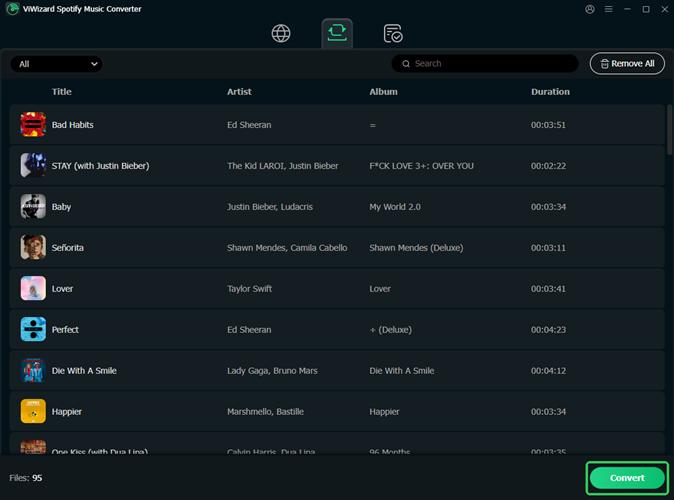
- Click Convert and wait for the process to finish. Your converted files will be available in the output folder.
For anyone building a personal offline music library, ViWizard combines format flexibility, batch processing, and metadata management in one application.
TOP2.SpotyLoader – BestOnlineSpotifyMusicDownloader
SpotyLoader is a browser-based option for users who don’t want to install additional software. It allows users to submit Spotify links and process supported songs, albums, and playlists online.
The workflow is straightforward: copy a Spotify link, visit the SpotyLoader website, paste the URL into the input field, and start processing. Depending on the available source, users can save audio in formats such as MP3, FLAC, M4A, and WAV.
Another advantage is its cross-platform accessibility. Since everything runs through a browser, it can be used on Windows, macOS, and compatible Android devices.
However, online conversion services can be less predictable when processing large playlists. Audio quality and track availability may also vary.
Best for: Users who need occasional downloads without installing desktop software.
TOP3.Spotifull – BestforSimpleBrowser-BasedDownloads
Spotifull is another online Spotify downloader worth considering. Its main appeal is its simple interface and straightforward link-based workflow.
Users can paste a Spotify song, album, or playlist URL into the website and let the service process the request. For individual tracks, available audio files can be saved directly. Collections may be provided as ZIP archives that users can extract afterward.
Spotifull also supports mobile browsers, so you don’t necessarily need a computer to use it. On Android, for example, you can open the website in Chrome, process a Spotify link, and save the resulting file to your Downloads folder.
The main drawback is that results depend on the availability of matching audio sources. Some tracks may be unavailable, and format or quality options can vary.
Best for: People who prefer a lightweight online downloader for individual songs or smaller collections.
4.SpotiFlyer – BestforAndroidMusicDownloads
For Android users who prefer handling music directly on their phones, SpotiFlyer is an open-source music downloader project worth exploring.
The application supports Spotify alongside several other music platforms, including YouTube Music, Gaana, JioSaavn, and SoundCloud. It can process individual tracks, albums, and playlists, giving users several ways to build an offline music collection.
Its interface is designed to make music discovery and downloading relatively straightforward. You can provide a supported music link, let the application search for the corresponding audio, and save available files locally.
SpotiFlyer is also notable for its open-source nature and lack of advertisements in the project description.
However, its availability and compatibility may vary between versions. Users should check the project’s official repository and verify the latest release before installing it.
Best for:Android users interested in an open-source music downloader with support for multiple platforms.
Project: https://github.com/Shabinder/SpotiFlyer
TOP5. Spowlo – BestforPlaylistDownloadsonAndroid
Spowlo is another Android-based Spotify downloader built with Jetpack Compose and the spotDL library.
Its main purpose is to help users find and download music associated with Spotify tracks and playlists. One convenient feature is that users can search for songs without necessarily providing a Spotify link. It also supports playlist downloads and can embed synchronized lyrics into supported audio files.
The application uses YouTube and YouTube Music as audio sources rather than directly extracting Spotify streams. This means the downloaded version may differ from the original Spotify recording in terms of quality or availability.
Spowlo also features a Material Design interface, making navigation familiar to Android users.
One important consideration is that its developer has announced a pause in active maintenance due to technical challenges and changes affecting Spotify integration. Therefore, users should check its GitHub repository for current compatibility and release information before installing it.
Best for: Android users who want playlist-oriented downloading and additional features such as synchronized lyrics.
Project: https://github.com/BobbyESP/Spowlo
FinalThoughts
The best Spotify music downloader depends on your device and how you plan to manage your music.
SpotyLoader and Spotifull are convenient choices for occasional browser-based downloads, while SpotiFlyer and Spowlo offer Android-oriented alternatives. Each has its own limitations regarding compatibility, audio sources, and maintenance.
For users who regularly work with Spotify playlists and want more control over audio formats and file organization, ViWizard Spotify Music Converter is our top recommendation. Its support for multiple output formats, batch conversion, and ID3 tag preservation makes it a more comprehensive solution for creating a personal offline music library.