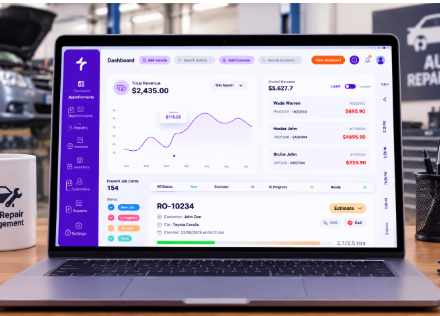
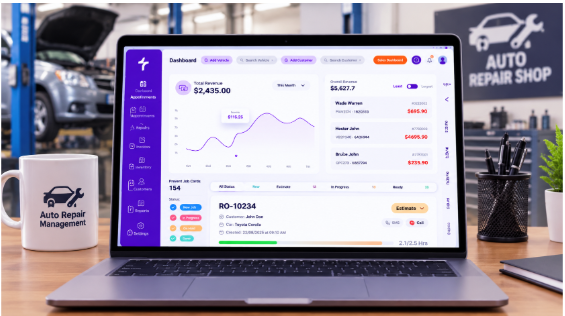

Auto repair shop management software, also called mechanic shop software or garage management software, helps repair shops manage their daily operations through one digital system. It brings together appointment scheduling, repair orders, estimates, digital vehicle inspections, parts management, customer communication, invoicing, and customer and vehicle records. Instead of relying on paper tickets, spreadsheets, phone calls, and separate tools, shops can keep important job information organized in one place. This helps service advisors and technicians spend less time managing paperwork and more time handling repair work.
What does auto shop management software do?
Auto shop management software manages a repair job from the customer’s first appointment to the final invoice. A customer and vehicle record helps the shop prepare for an appointment. After check-in, the service advisor creates an estimate, technicians document inspection findings, and the customer reviews and approves the recommended work. Approved services can then move into a repair order, followed by invoicing when the job is complete. Customer and vehicle details remain available for future visits.
| Function | What it does | What it replaces |
| Scheduling | Books appointments onto a shared calendar | Paper diary, phone calls |
| Work orders | Tracks each job from check-in to pickup | Paper tickets, whiteboard |
| Estimates | Prices labor and parts, sends for approval | Handwritten quotes, phone tag |
| Inspections | Records findings with photos and ratings | Paper multi-point checklist |
| Parts | Tracks stock and adds parts to the job | Spreadsheets, supplier calls |
| Customer texts | Sends confirmations, approval links, and updates | “Is my car ready?” calls |
| Payments | Creates invoices and records payments | Separate terminal, re-keying |
| History | Stores customer and vehicle repair records | Filing cabinet, memory |
| Reporting | Tracks sales, repair orders, and shop performance | Manual calculations, spreadsheets |
What are the key features of auto repair shop management software?
Most systems include tools for managing appointments, repair jobs, and customer records. The important difference is how well these features work together. When information moves from an estimate to a repair order and then to an invoice, the shop can avoid entering the same details repeatedly.
- Appointment scheduling and repair orders: organize customer bookings and create repair orders to track jobs from check-in through completion.
- Auto repair estimates: calculate parts, labor, taxes, and other expenses, then share estimates with customers for review and approval.
- Digital vehicle inspections: document vehicle conditions with photos, videos, and technician notes so customers can understand recommended repairs.
- Parts and inventory management: organize parts information and help the shop keep track of inventory used in repair work.
- Customer communication: send estimates and digital approval requests through SMS and email, helping customers review recommended services.
- Invoicing and point of sale: prepare invoices for completed work and organize the payment process.
- Customer and vehicle records: keep customer details, vehicle information, and repair history organized for future service visits.
How does auto repair shop management software work?
The software connects different stages of a repair job through a shared record. When a customer books an appointment, the shop can organize the vehicle’s visit and prepare the job details. At check-in, the service advisor records the customer’s concerns and creates an estimate for the required work.
The technician then inspects the vehicle and adds findings, photos, videos, or notes when needed. The service advisor can include recommended repairs in the estimate and send it to the customer for approval. Once the customer approves the work, the shop can move forward with the repair order, track the job, and prepare an invoice after completion.
The main benefit is that information follows the repair job instead of being rewritten in separate documents. This gives service advisors and technicians a clearer view of what has been approved, what work is underway, and what remains to be completed.
What’s the difference between shop management software and a paper-based system?
A paper-based process depends on employees writing down and transferring information at each stage. An appointment may be recorded in a diary, repair details on a job ticket, costs on a separate estimate, and the final amount on an invoice. If information changes, employees may need to update several records manually.
With shop management software, these activities can be handled through connected digital records. Customer and vehicle details can be used when preparing estimates and repair orders, while approved work can carry forward into the invoicing process.
| Task | Paper and whiteboard | Shop management software |
| Job status | Whiteboard, if someone updated it | Live on every screen |
| Estimate approval | Phone call and callback | Approved from the customer’s phone |
| Inspection findings | Checklist, no photos | A photo on every finding |
| Parts | Called in, written down | Added to the job |
| Invoice | Rewritten from the ticket | Built from the approved estimate |
| Customer history | Filing cabinet | One record per customer and vehicle |
| Appointment details | Written in a paper diary | Stored in a shared digital calendar |
This is how digital shop management can reduce paperwork. It helps limit repeated data entry and keeps repair information easier to find, update, and review.
Do independent auto repair shops need management software?
Most independent repair shops can benefit from management software, even before expanding to a second location. A small shop still spends time managing appointments, preparing estimates, writing repair orders, following up on approvals, and answering customer calls. These manual tasks can slow down daily operations and make it harder to keep track of ongoing jobs. Digital inspections and customer approvals also matter: 64% of service customers want photos or videos with their vehicle inspection, but only 26% of customers at mass-market brands receive them, according to J.D. Power’s 2026 study.
However, choosing software is not just about moving paper records onto a computer. Independent shops need a system that connects estimates, inspections, repair orders, and invoices without making employees repeat the same work. Before choosing a platform, shop owners should consider their daily workflow, team size, and the features they actually need. Tools like Torque360 bring essential shop management activities together in one system.
What doesn’t auto repair shop management software do?
It helps manage repair shop operations, but it does not replace every tool or responsibility involved in running an automotive business.
- It isn’t a complete accounting system. Shop software can organize estimates, invoices, and payment records, but accounting, payroll, and tax preparation may require dedicated accounting software.
- It doesn’t replace repair information databases. Technical repair procedures, wiring diagrams, and manufacturer service information may come from separate automotive information services.
- It doesn’t perform the repair work. Technicians still need the right skills, tools, and equipment to inspect vehicles and complete repairs.
- It doesn’t manage the shop automatically. Employees must enter accurate information and update job statuses for the system to reflect what is happening in the shop.
What should shops look for in modern auto repair shop management software?
Modern systems should make it easier to access repair information, connect daily tasks, and communicate with customers. Cloud-based access and mobile-friendly tools can help employees review job details without depending entirely on paper records or a single office computer. Digital inspections, estimate approvals, repair order tracking, and invoicing should also fit into the same workflow.
When comparing options, shops should check whether the software supports their current processes, whether employees can learn it easily, and whether important features work together. Torque360 brings together estimates, repair orders, digital inspections, invoicing, and other shop management tools to help automotive businesses organize work from inspection to payment.
Final thoughts
Auto repair shop management software helps independent repair shops bring daily activities into one organized workflow. From scheduling appointments and preparing estimates to tracking repair orders and creating invoices, it keeps important information connected throughout the repair process. Before selecting a system, shop owners should evaluate their current challenges, team requirements, and the features that can make daily operations easier. The right software can help reduce manual work, improve customer communication, and keep repair jobs organized as the business grows.