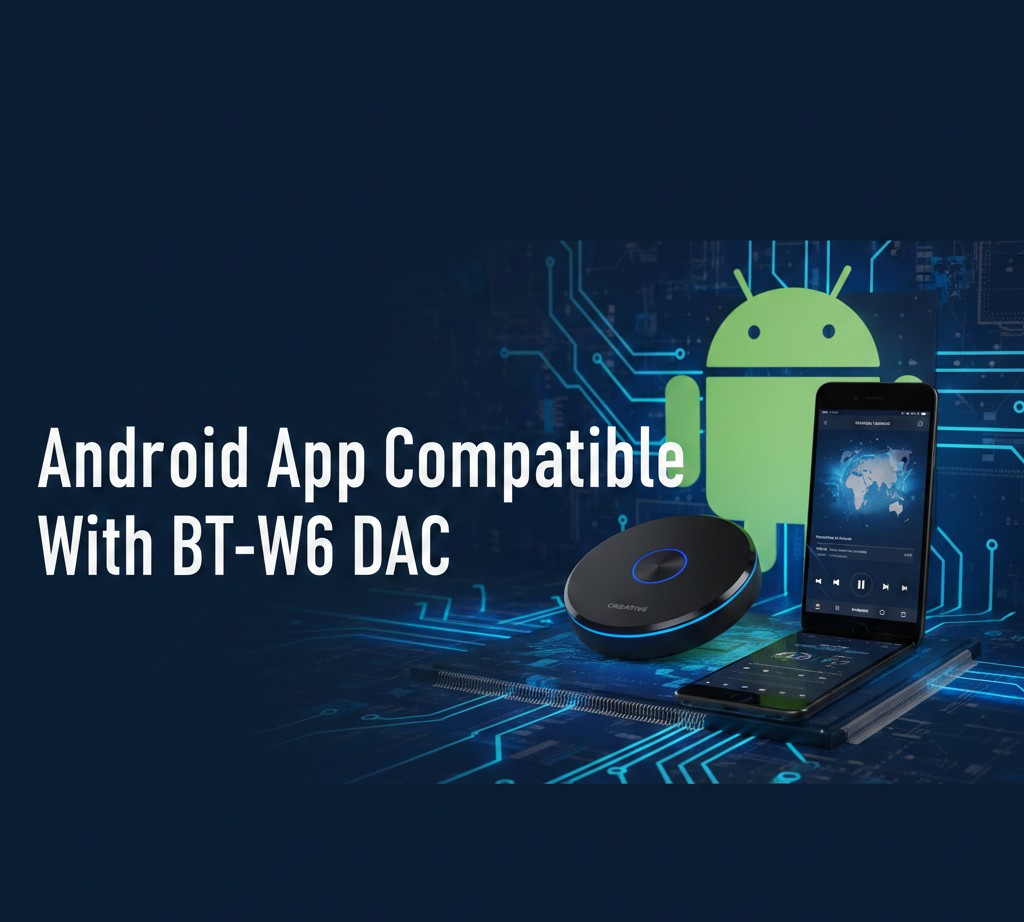

USB Audio Player PRO is the most reliable android app compatible with BT-W6 DAC because it supports native USB audio drivers, bit-perfect playback, and high-resolution formats like FLAC and DSD. Other compatible apps include HiBy Music, Neutron Music Player, and Poweramp, depending on your audio needs.
What Is the BT-W6 DAC?
The BT-W6 DAC is a digital-to-analog converter designed to improve audio quality when connected to compatible devices. It bypasses the internal sound chip of a smartphone and delivers cleaner, more detailed sound.
Key Features of BT-W6 DAC
- External USB DAC support
- High-resolution audio playback
- Low noise and distortion
- Compatibility with Android devices
For full performance, the DAC must be paired with the right Android app.
Why App Compatibility Matters for BT-W6 DAC
Not every Android music app can properly detect or use an external DAC. Some apps rely on Android’s default audio path, which limits sound quality.
An android app compatible with BT-W6 DAC should:
- Support USB audio output
- Allow bit-perfect playback
- Bypass Android system resampling
- Offer advanced audio controls
Also Read: Themes Android Pie: How to Change and Customize Your Android 9 Look
Best Android Apps Compatible With BT-W6 DAC
USB Audio Player PRO (UAPP)
USB Audio Player PRO is widely considered the best android app compatible with BT-W6 DAC.
Why it works well:
- Native USB DAC support
- Bit-perfect playback
- Supports PCM, DSD, FLAC, WAV
- Built-in USB audio driver
According to the developer, UAPP supports audio output up to 32-bit/384 kHz on compatible DACs.
HiBy Music
HiBy Music is another reliable android app compatible with BT-W6 DAC, especially for audiophiles.
Key advantages:
- Direct USB audio output
- MQA and Hi-Res audio support
- Clean user interface
- Works well with external DACs
HiBy Music is free and commonly recommended for DAC users.
Poweramp Music Player
Poweramp is popular among Android users and offers strong external DAC compatibility.
Highlights:
- High-resolution output
- Advanced equalizer
- USB DAC support (newer versions)
- Stable performance
While Poweramp uses Android’s audio stack, it still delivers excellent results with the BT-W6 DAC.
Neutron Music Player
Neutron Music Player is designed for advanced users who want full audio control.
Why choose Neutron:
- Independent audio engine
- USB DAC support
- 64-bit audio processing
- Detailed sound customization
This app is ideal for users who want maximum control over playback.
Comparison: Android Apps Compatible With BT-W6 DAC
| App Name | Native USB Driver | Hi-Res Audio | Best For |
|---|---|---|---|
| USB Audio Player PRO | Yes | Up to 32-bit/384 kHz | Audiophiles & DAC users |
| HiBy Music | Yes | Hi-Res + MQA | Free, clean playback |
| Neutron Music Player | Yes | 64-bit processing | Advanced customization |
| Poweramp | Partial | Hi-Res output | Casual listeners |
Android Streaming Apps and BT-W6 DAC Compatibility
Do Streaming Apps Work With BT-W6 DAC?
Some streaming apps work partially with external DACs, but limitations apply.
| App | DAC Support | Notes |
|---|---|---|
| TIDAL | Partial | Works best with UAPP |
| Spotify | Limited | Uses system audio |
| Apple Music | Limited | No bit-perfect output |
| Amazon Music HD | Partial | Depends on device |
For the best results, pair streaming services with USB Audio Player PRO.
How to Set Up BT-W6 DAC on Android (Step-by-Step)
- Connect the BT-W6 DAC using a USB-C or OTG cable
- Install a compatible app (UAPP recommended)
- Grant USB permissions when prompted
- Select the DAC as the audio output
- Adjust sample rate and format in app settings
This setup ensures optimal performance from your android app compatible with BT-W6 DAC.
Supported Audio Formats With BT-W6 DAC
Most compatible apps support the following formats:
- FLAC
- WAV
- ALAC
- DSD (with supported apps)
- PCM up to high sample rates
High-resolution audio can significantly improve clarity and detail when paired with quality headphones.
Common Issues and Troubleshooting
DAC Not Detected
- Check OTG support
- Try a different USB cable
- Restart the app
No Sound Output
- Enable USB audio in app settings
- Disable battery optimization
- Reconnect the DAC
Audio Distortion
- Lower sample rate
- Disable DSP effects
- Check headphone impedance
Is BT-W6 DAC Worth Using on Android?
According to Statista, over 45% of US smartphone users listen to music daily, and audio quality is a growing priority.
Using an android app compatible with BT-W6 DAC allows users to experience studio-grade sound without dedicated music players.
Also Read: Why Android Setup Keeps Stopping (Solved)
Security, Updates, and App Reliability
Always download apps from:
- Google Play Store
- Official developer websites
Regular updates ensure compatibility with new Android versions and DAC firmware.
Conclusion
Choosing the right android app compatible with BT-W6 DAC makes a major difference in sound quality. Apps like USB Audio Player PRO, HiBy Music, and Neutron unlock the full potential of your DAC. For more expert tech guides, reviews, and audio tips, visit Tonic Of Tech and explore our latest content.
FAQs
1. What is the best android app compatible with BT-W6 DAC?
USB Audio Player PRO is considered the best android app compatible with BT-W6 DAC due to its native USB driver, bit-perfect playback, and high-resolution audio support. It works reliably across most Android devices.
2. Can BT-W6 DAC work with Spotify on Android?
Spotify works with BT-W6 DAC, but audio quality is limited because Spotify uses Android’s system audio. For better results, use high-resolution music apps or pair streaming services with USB Audio Player PRO.
3. Does BT-W6 DAC require rooting Android?
No, BT-W6 DAC does not require rooting. Most compatible apps function on standard Android devices with USB OTG support enabled.
4. Which audio formats are supported with BT-W6 DAC?
With the right android app compatible with BT-W6 DAC, you can play FLAC, WAV, ALAC, PCM, and sometimes DSD formats depending on the app and device capabilities.
5. Why does my BT-W6 DAC disconnect on Android?
This may happen due to power management, cable issues, or background app restrictions. Disable battery optimization and use a high-quality OTG cable for stable performance.